
AI·News & analysis
Claude artifacts can now be installed as Mac and Windows apps
Anthropic's new 'Install as app' beta turns a Claude artifact into an app with its own icon and window on Mac and Windows. It is available on every plan.


Tide
Wave
Sci-fi
4/10
Reality
Shipping
Describe a tool in words and it shows up in your dock.How we rate
Anthropic launched "Install as app" in beta, letting Claude users turn an artifact into a Mac or Windows app with its own icon and window.
Apps can send notifications, add menu bar items and use Claude, and each one asks permission before touching your computer. The beta covers all plans, though the apps only open while you are online and signed in to Claude. Anthropic does not review apps, so it urges caution with full access.
What to know
- Anthropic launched "Install as app" in beta, which turns a Claude artifact into a Mac or Windows app with its own icon and window.
- Installed apps can send notifications, add menu bar or system tray items, use Claude and use connectors, all within permissions you set.
- There are three permission levels, and full computer access is only for apps you made yourself or, on Team and Enterprise, your colleagues made.
- The beta is on all plans, but you must be online and signed in to Claude to open an app, and Anthropic does not review apps.
Anthropic announced that the little tools you build in Claude can now live on your desktop like any other program.
The feature is called Install as app, and it is in beta on Mac and Windows. That's the news. Now the fun part: what happens when a chat reply gets its own dock icon?
What are Claude artifacts?
An artifact is something Claude builds for you next to the chat. It can be a chart, a webpage, a small tool or a game. You see it in a side panel and can use it right there.
Artifacts first arrived in August 2024. In June 2025 Anthropic gave them their own space in the Claude sidebar and let anyone with a Claude account open a shared one, even on a free plan.
Until now, an artifact always lived inside Claude. You had to open Claude, find the artifact and use it there. Anthropic says that is changing because people now treat artifacts as tools for daily work.
What does Install as app do?
When an artifact is installed as a Mac or Windows app, it gets its own icon. It opens in its own window instead of inside Claude. You can share it with other people too.
Anthropic says each app can use Claude and your connectors. A connector is a link that lets Claude reach another service, such as your calendar or email. The app also updates itself when you edit the artifact behind it.
Installed apps can send notifications. They can also add items to your menu bar on a Mac or your system tray on Windows. Anthropic's reasoning is simple: if you rely on a tool for work, it should open like your other apps and nudge you when something needs attention.
In real life Say you built a page that pulls your meetings and emails every morning. Instead of opening Claude and hunting for it, you click its icon in the dock, and it pops up in its own window.
How do you install one?
The steps are short. You update Claude for Mac or Windows, open an artifact you use every day, and pick Install as app from the Share menu.
You do not package or sign the app. Signing is the step developers normally take to prove an app came from them. Here Claude skips it. The app also uses your Claude account, so there is no separate login and no key to paste in. An API (a doorway that lets one program talk to another) usually needs a secret key, and Claude handles that part for you.
If you start from nothing, the order is: describe the app to Claude, try it as an artifact, then click Install as app. One of Anthropic's engineers has said a free account is enough to try it, and that you can also ask Claude to build a standalone app if you have an Apple Developer account.
What have people built with it?
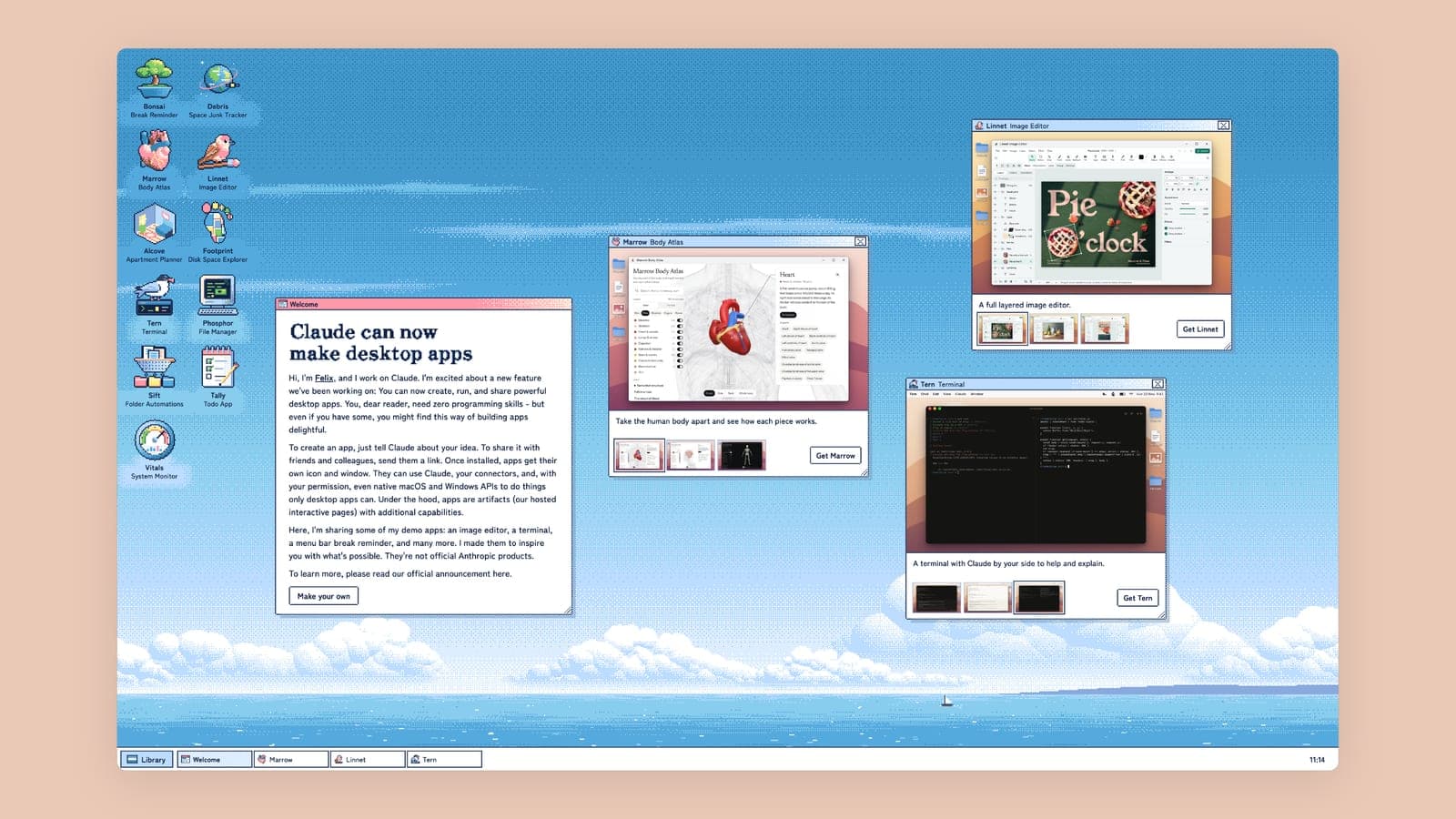
Anthropic listed five apps its own staff made. Each shows a different trick.
- Linnet: a full image editor with layers.
- Phosphor: a file manager that looks like it was made for a movie set.
- Sift: an app that sets up folder rules and uses Claude to keep your files organized.
- Tern: a terminal, the text window developers use to type commands, with Claude beside you to help and explain.
- Vitals: a menu bar and tray app for checking how your computer is performing.
Anthropic also points to more demo apps made by one of its engineers. A meeting prep page that pulls from your calendar and email is another example it gives, along with a tracker for the orders that need to ship that day.
What can an installed app do to your computer?
This is the part to read slowly. A desktop app can do far more than a webpage, so Anthropic put permissions in front of it. There are three levels:
- Default: the app can only do what it could do in a web browser.
- App permissions: the app can ask to use common features that Claude can tightly control, such as always-on-top windows, global shortcuts (key combinations that work from any program) and notifications.
- Full computer access: the app can ask to run programs and to read, change or delete your files without asking each time.
The catch: your permission only covers the current version of the app. Claude asks again after every update, even your own edits. If part of an app comes from another website, that part can change without Claude asking you again.
Who gets full access?
You can only give full access to apps you made. On Team and Enterprise plans, you can also give it to apps made by people in your organization.
Anthropic also says the permission you give is tied to the app as it is today. If you edit it, or if Claude changes it, the question comes back. Anthropic is blunt about the risk. It does not review apps before you install them, so it tells people to give full access only to apps they trust.
That makes sense. An app with full access is a program that can touch your files. It is wise to treat it like software from a stranger unless you wrote it yourself.
Which plans can use it?
Anthropic says Install as app is rolling out in beta on all plans. Beta means the feature is still being tested, so expect rough edges.
For companies, the settings differ:
- Team: it is on by default, with full access off.
- Enterprise: it is off until an owner turns it on.
- Admins: Team and Enterprise admins can turn app permissions and full access on or off for their organization.
- Not available: HIPAA-ready organizations and hybrid deployments cannot use it.
Some artifacts cannot be installed at all, including Claude Docs, Slides and Sheets.
What are the limits?
There are two to know about. First, an app needs you to be online and signed in to Claude to open. Many desktop programs work without internet, but these do not.
Second, requests an app makes to Claude count toward your plan's usage limits. If you build a clever app that asks Claude a lot of questions, it spends the same allowance as your chats.
Anthropic's own list of examples shows how wide the idea runs. A file manager, a layered image editor, a terminal and a menu bar monitor are all very different programs, and each one started as a description typed into a chat. The company says people already use artifacts for everyday work, not only for charts and webpages.
What's next: this is a beta, so expect Anthropic to adjust the permissions and the list of supported artifacts as people try it.
What it means for you
- If you build small tools in Claude: you can give your favorite ones a real icon and window instead of digging through chats.
- Before you click Allow: read what an app asks for, and remember it asks again after every update.
- For full access: keep it for apps you made yourself, since Anthropic does not review them.
- If you travel a lot: plan for a connection, because the apps do not open offline.
- If you manage a team: check the Team and Enterprise settings, since the defaults differ.
The bottom line
Claude artifacts have grown from side-panel demos into apps with their own icon, window and notifications. The permission levels and the sign-in rule are the price of that convenience.
If you try it, start with the default level and a tool you built yourself. Give it more power only when it has earned it.
Key facts
- Feature
- Install as app (beta)
- Works on
- Claude for Mac and Windows
- Plans
- All plans, with admin controls on Team and Enterprise
- Permission levels
- 3 (default, app permissions, full computer access)
- Needs
- An internet connection and a Claude sign-in
Got questions?
Quick answers, plain wordsWhat is Install as app in Claude?
It is a beta feature that turns a Claude artifact into an app with its own icon that opens in its own window instead of inside Claude. It works in Claude for Mac and Windows.
How do I install an artifact as an app?
Update Claude for Mac or Windows, open an artifact you use every day and choose "Install as app" from the Share menu. Anthropic says you do not have to package or sign it.
Is it free?
Anthropic says the beta is rolling out on all plans, and one of its engineers has said a free account is enough. Requests an app makes to Claude count toward your plan's usage limits.
Do installed apps work offline?
No. Anthropic says you need to be online and signed in to Claude to open an app.
What can an installed app do on my computer?
It can send notifications and add items to your menu bar or system tray. With the right permission it can also make always-on-top windows and listen for global shortcuts.
What are the three permission levels?
Default lets an app do only what a browser could do. App permissions lets it ask for features like notifications. Full computer access lets it ask to run programs and read, change or delete files.
Can I give any app full computer access?
No. You can only give full access to apps you made or, on Team and Enterprise, apps made by people in your organization.
Does Anthropic check the apps?
No. Anthropic says it does not review apps before you install them, so it advises giving full access only to apps you trust.
Which artifacts cannot be installed?
Some artifacts cannot be installed, including Claude Docs, Slides and Sheets.
Can businesses switch it off?
Yes. It is on by default for Team with full access off, and off for Enterprise until an owner turns it on. Admins can turn app permissions and full access on or off. HIPAA-ready organizations and hybrid deployments cannot use it.
SourcesAnthropic
Topics and tagsAnthropic, Microsoft, anthropic, claude
Related guide
Guide, 8 minHow to pick a Claude model and plan: Sonnet 5.5, Opus 5.5, Pro and MaxChoose between Claude Sonnet 5.5 and Opus 5.5, read your usage meter, and understand what independent testing says about how far a Claude...Related stories

Anthropic mathematician says Claude helped prove the Riemann hypothesis
Levent Alpöge says he and Claude found a proof of the 167-year-old Riemann hypothesis. The Lean and Mathlib communities now say they have checked it.
Claude can now read your bank accounts with Personal Finance
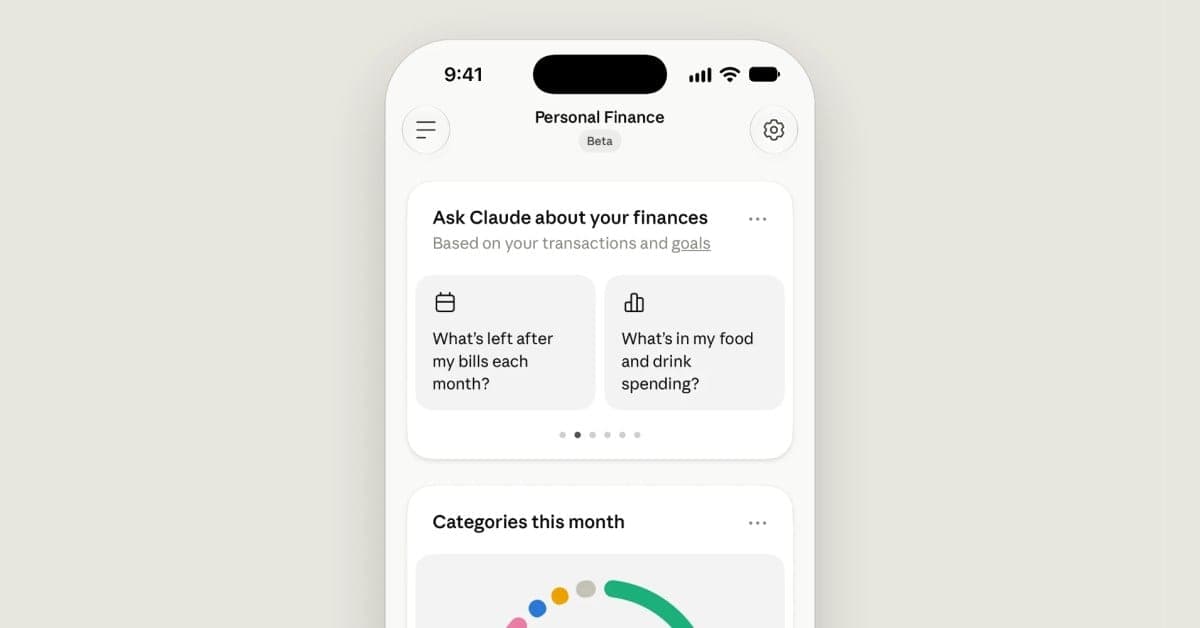
Anthropic's new Personal Finance tool lets paying Claude users link bank and card accounts through Plaid and ask plain questions about their spending. Access is read-only.

MIT left Claude alone on a virtual island for 30 hours, and it started to play
With no task and no reward, 13 copies of Claude Opus 4.7 climbed hills, invented basketball and drew constellations in stone. The agents that played later beat fresh copies at real tasks.
More in brief
- Amodei says handing governance to AI is "a bad idea" and calls the claim absurdNov 26
- 42 state attorneys general move to block Character.AI's auction of user chatsNov 25
- WhatsApp now lets you schedule messages up to 14 days aheadNov 25
- Microsoft declares Code Red after its worst Exchange Online outageNov 25
- Ladybird ships its first downloadable alpha, a browser built from scratchNov 25
- FCC lets SpaceX plan up to 1 million AI data center satellitesNov 25