
Technology·News & analysis
Windows 11 tests a way to switch off the Sticky Keys popup for good
Microsoft is adding a checkbox to the Sticky Keys and Filter Keys popups so you can stop them from coming back. It is in test builds now, about 31 years after the dialog first appeared.

Tide
Wave
Sci-fi
2/10
Reality
Demo
A keyboard shortcut finally learns to take no for an answer.How we rate
Microsoft is testing a checkbox inside the Sticky Keys and Filter Keys popups that stops them from coming back, instead of sending people to deep Settings menus.
It appears in Windows 11 Insider builds released on November 6, and it is rolling out in stages. The popups date back about 31 years to Windows 95. Microsoft has not given a date for a public release.
What to know
- Microsoft is adding an option to the Sticky Keys and Filter Keys popups that stops them from appearing again, so you no longer have to dig through Settings.
- It is in Windows Insider test builds released on November 6, 2026, Experimental build 26340.9882 and Beta build 26320.9876, and it rolls out in stages.
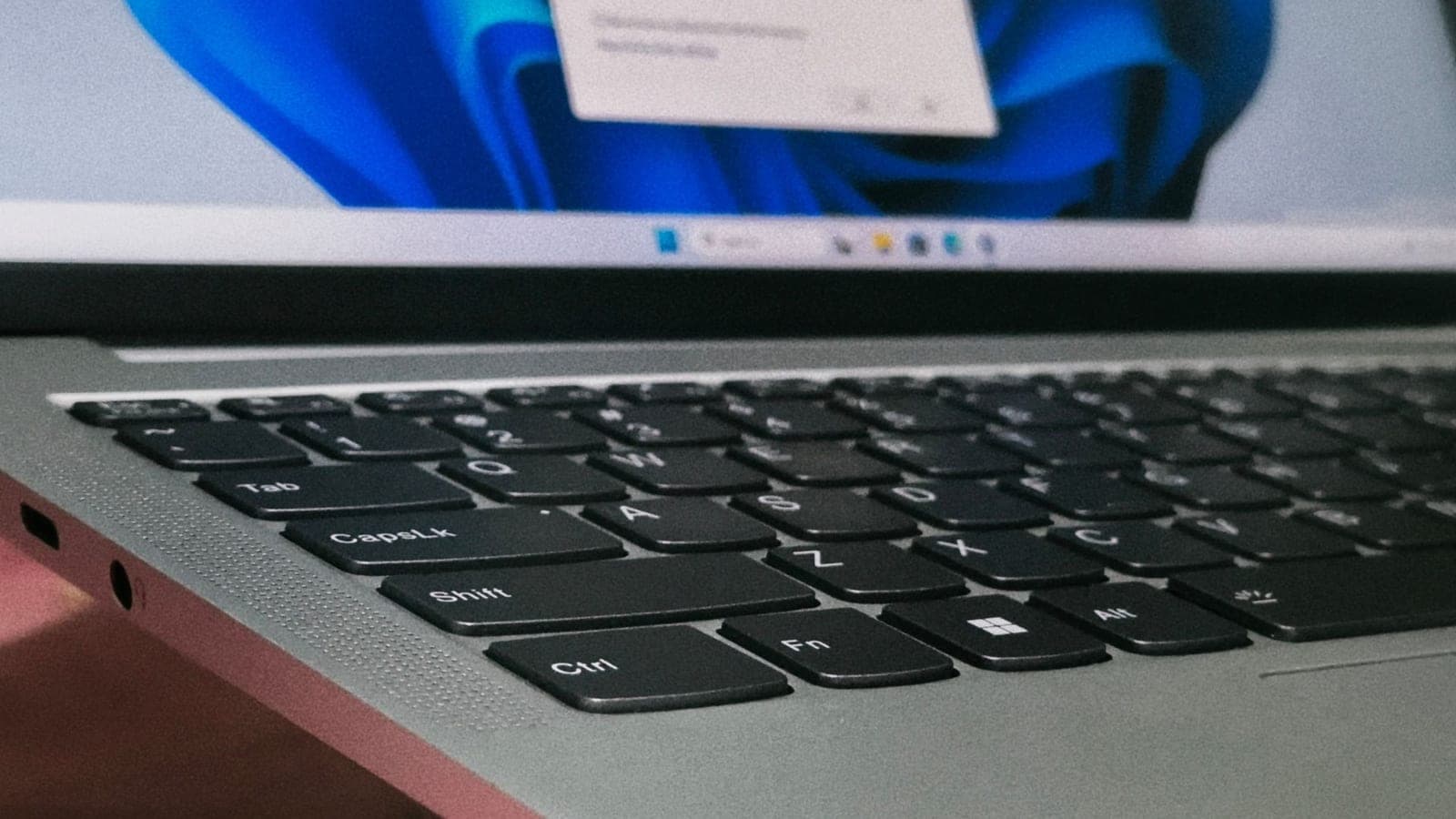
- Tapping Shift five times starts the Sticky Keys popup, and holding the right Shift key for eight seconds starts the Filter Keys popup.
- Microsoft has not announced when the change reaches everyone.
Microsoft is adding a "don't ask me again" option to the Sticky Keys and Filter Keys popups in Windows 11. It is a small change. But if you have ever tapped Shift five times in a row and heard that chime, you already know why people care.
What is changing?
The popups you get when Windows thinks you want an accessibility feature are getting a new checkbox. Tick it, click No, and Windows stops asking.
Until now, the only way to stop the prompt was to go into the Settings app and turn off the shortcut yourself. Most people only found that switch after dismissing the popup many times. Now the switch sits inside the popup itself.
Windows Latest tested the new build in a virtual machine. The old dialog offered Yes, No, and a link to keyboard settings. The new one adds a checkbox that says the shortcut should never turn Sticky Keys on. After ticking it, five more Shift taps did nothing.
The Filter Keys popup gets the same option.
What are Sticky Keys and Filter Keys?
Both are accessibility tools, which means they are built for people who find a standard keyboard hard to use.
- Sticky Keys: lets you press shortcut keys one at a time. Instead of holding Control and pressing C to copy, you press and release Control, then press C.
- Filter Keys: tells the keyboard to ignore brief or repeated keystrokes and adjusts how fast keys repeat.
These features are useful. For someone who types with one finger or a head stick, Sticky Keys is what makes shortcuts possible at all.
The trouble is the popup that offers them. It is meant to appear when you might want the feature, but it also appears when you do not.
How does the popup get triggered?
By accident, mostly. The shortcuts are simple:
- Sticky Keys: press the Shift key five times in a row. Windows chimes and asks if you want to turn it on.
- Filter Keys: hold the right Shift key down for eight seconds.
If you dismiss the popup, nothing is saved. Press Shift five more times and it comes right back. A reader in a Windows Latest comment thread remembered an online game where Shift swapped potions, and the popup interrupted battles over and over.
In real life You are playing a game, mashing Shift to sprint, and a grey box pops up in front of everything. With the new checkbox, you tick it once and the box is gone for good.
Who gets it, and when?
It is only in test builds for now. Microsoft released them on November 6, 2026:
- Experimental channel: build 26340.9882
- Beta channel: build 26320.9876
Both are based on Windows 11 version 26H2. In the Experimental channel it is a Controlled Feature Rollout, which means Microsoft switches it on for a share of testers first. You can install the build and still not see the checkbox yet.
What's next: Microsoft has not announced when the change will reach everyone. Insider features often take months, and some change on the way.
Isn't there already a setting for this?
Yes, and Microsoft's Windows engineering team says so. A team member explained that turning off the shortcut in Settings, under Accessibility and then Keyboard, has "always been possible."
So the news is not that the switch exists. It is that the switch is now in the one place you actually look when the popup is in your face.
The Sticky Keys feature itself is not going anywhere. If you need it, you can still turn it on from the Accessibility keyboard settings.
Why does this popup exist at all?
The story goes back to 1995. Sticky Keys came from the Trace Center, a research group that built accessibility tools for computers. Microsoft licensed it that year and shipped it in Windows 95 and every Windows since.
A former Microsoft engineer, Charles Opperman, says he wrote the popup dialog in early 1995. In his words, he did it after kids kept activating Sticky Keys while playing Space Cadet pinball, a game that came in Microsoft's Plus! pack for Windows 95.
Opperman also says a link to Settings was added around Windows 98, which became Windows 2000. He says a checkbox was considered even then, but it was not a priority. That is why the headline number is about 31 years.
Is the dialog getting a makeover?
Not yet. The new box is still the same old Win32 window, which is the classic style of Windows program from the 1990s. One user on X pointed out that it still does not support dark mode.
Microsoft's design chief for Windows, Marcus Ash, replied to a request to modernize legacy dialogs by saying "Noted and working on that too." He did not say the Sticky Keys box is next.
Earlier this year, Microsoft's design team said it is building tools to convert older dialogs to WinUI, the modern look used in current Windows apps. Another design leader later confirmed the team is working through a list of them. The old Defrag tool is on that list.
Where did Sticky Keys come from?
Before Windows 95, accessibility add-ons were separate programs. The Trace Center built a set of them for Windows 2.0 and later for the Access Pack for Windows 3.0, and Microsoft worked with the group on that early accessibility work.
The feature began life under another name, 1-Finger. It was later renamed Sticky Keys to match its siblings Filter Keys and Repeat Keys. The idea has not changed since: a person who can press only one key at a time can still type a shortcut.
That history explains why Microsoft never removed the shortcut. It is a lifeline for some users, so the company kept it switched on by default and left everyone else to dismiss the popup.
Who announced the change?
The news came from two places. The release notes for the November 6 builds say you can choose not to be asked again from the Sticky Keys and Filter Keys dialogs.
Jen Gentleman, who works on the Windows engineering team, then posted on X that Microsoft is adding the ability to permanently turn off the prompt. That post is where many people first noticed the line in the notes.
Is this the whole story?
It is a small change, and it should be treated like one. No new feature arrives, and nothing breaks. But small interruptions add up, and a popup you cannot dismiss for good is the kind of thing people remember.
It also shows how Windows works today. Features arrive first in test channels, reach some people, and only later reach everyone. The Sticky Keys checkbox is a tiny example of that process in action.
What it means for you
- If you hit Shift a lot: you will be able to switch the popup off right where it appears, once the change reaches your PC.
- If you need Sticky Keys or Filter Keys: nothing is taken away. You can still turn both on from the Accessibility keyboard settings.
- If you cannot wait: open Settings, go to Accessibility, then Keyboard, and turn off the shortcut for Sticky Keys and Filter Keys.
- If you are not an Insider: do not expect it soon. Microsoft has not given a date.
The bottom line
Microsoft is giving the Sticky Keys and Filter Keys popups a "never ask again" box, about 31 years after the popup first appeared. It is in test builds now and has no release date. The accessibility tools stay, and only the nagging goes.
Key facts
- Test builds
- 26340.9882 (Experimental) and 26320.9876 (Beta), November 6, 2026
- Sticky Keys shortcut
- Press Shift five times
- Filter Keys shortcut
- Hold the right Shift key for eight seconds
- Windows version
- Windows 11 version 26H2 builds
- Public release date
- Not announced
Got questions?
Quick answers, plain wordsWhat is Sticky Keys?
It is a Windows accessibility feature that lets you press shortcut keys one at a time. Instead of holding Control and pressing C, you press Control, let go, then press C. It helps people who cannot hold several keys at once.
What is Filter Keys?
Filter Keys makes the keyboard ignore very short or repeated keystrokes and changes how fast keys repeat. It helps people whose hands shake or who press keys more than once by accident.
Why does the Sticky Keys popup keep appearing?
Pressing the Shift key five times in a row starts a prompt that asks if you want to turn Sticky Keys on. If you only dismiss it, the same five taps will bring it back. Gamers who tap Shift a lot see it often.
How does the new option work?
The popup now has a checkbox that tells Windows not to ask again. Windows Latest tested it in a virtual machine: after ticking the box and clicking No, five more Shift taps did nothing.
Can I turn off the Sticky Keys popup today?
Yes. Microsoft's Windows engineering team says turning off the shortcut in Settings under Accessibility and then Keyboard has always been possible. The new checkbox just puts the switch where the popup appears.
Which Windows versions get the new checkbox?
Right now it is in Windows 11 Insider test builds based on version 26H2: Experimental build 26340.9882 and Beta build 26320.9876. Microsoft has not said when it will reach everyone.
Why can't I see it in my Insider build?
In the Experimental channel it is a Controlled Feature Rollout. That means Microsoft turns it on for some testers first, so you may have the build and still not see the checkbox.
Does this turn off Sticky Keys itself?
No. The checkbox only stops the popup and the shortcut. If you need Sticky Keys, you can still turn it on from the Accessibility keyboard settings.
Why did Microsoft build this popup in the first place?
Sticky Keys came from the Trace Center, a research group that built accessibility tools, and Microsoft included it in Windows 95. A former Microsoft engineer says the popup was written in early 1995 after kids kept triggering Sticky Keys while playing Space Cadet pinball.
SourcesThe Register
Topics and tagsMicrosoft, windows 11, microsoft, accessibility
Related stories
Microsoft says Windows 11 now runs up to 40% faster on 8 GB PCs
Microsoft tuned how Windows 11 handles memory on low-RAM PCs. It claims up to 20% better responsiveness and up to 40% faster multitasking, and says a full Task Manager is fine.
Windows will stop mounting ReFS-formatted USB drives in January
Microsoft is phasing out ReFS on removable drives. Windows now logs a warning when it spots one, and from the January 2027 security update it will refuse to mount them unless an admin says otherwise.
Windows 11's October update can lock Smart App Control and trip work Wi-Fi
Microsoft's October 13 update for Windows 11 can leave Smart App Control stuck off, and a security change inside it is blocking some office and campus Wi-Fi sign-ins.
More in brief
- YouTube is going back on the Billboard charts in 2027Nov 9
- Apple starts selling $50 packs for extra Apple Intelligence useNov 9
- US regulators question whether Waymo's school bus fix workedNov 9
- NVIDIA unveils GR00T 2 and Isaac Lab 3.0 to teach robots delicate workNov 9
- Tesla launches its robotaxi service in San Antonio, its eighth cityNov 9
- Coinbase gets its federal trust bank charter, but no savings accountsNov 9