
Technology·News & analysis
Windows 11's October update can lock Smart App Control and trip work Wi-Fi
Microsoft's October 13 update for Windows 11 can leave Smart App Control stuck off, and a security change inside it is blocking some office and campus Wi-Fi sign-ins.
Tide
Wave
Sci-fi
2/10
Reality
In your hands
A security switch that forgets how to flip back on.How we rate
Microsoft confirmed that its October 13 Windows 11 update, KB5127648, can leave Smart App Control grayed out on PCs where it was turned off.
The same update switches Windows to block older NTLMv1-based sign-ins by default, and admins report broken WPA2-Enterprise Wi-Fi logins on work and campus networks. The update covers versions 24H2, 25H2 and 26H2. Microsoft has shared workarounds and is working on a Smart App Control fix.
What to know
- Microsoft says the October 13 update KB5127648 can leave Smart App Control grayed out on Windows 11 PCs where it was turned off.
- The same update makes Windows block NTLMv1-based single sign-on by default, which Microsoft says can affect Wi-Fi, Ethernet and VPN logins that use MS-CHAPv2.
- Admins report failed sign-ins on office and campus Wi-Fi that uses WPA2-Enterprise with PEAP, WinFuture reports. Home Wi-Fi is not affected.
- October is also the last update for Windows 11 version 24H2 Home and Pro.
Microsoft's October update for Windows 11 is out, and Microsoft's own notes now list a new known issue: some PCs can't turn Smart App Control back on. Meanwhile, a security change in the same update is stopping some office and campus Wi-Fi logins. So what broke, who should care, and what can you do?
What is this update?
The update is called KB5127648. Microsoft released it on Tuesday, October 13, as the monthly security update for Windows 11.
It covers three versions of Windows 11:
- Version 26H2: OS build 26300.9711
- Version 25H2: OS build 26200.9711
- Version 24H2: OS build 26100.9711
It downloads and installs automatically through Windows Update. So if your PC restarted this week, you probably have it already.
Like every monthly update, it is cumulative. It includes everything from the September updates, plus this month's security fixes. That's why skipping it is not a great idea, even when it comes with a bug or two.
What's Smart App Control, again?
Smart App Control is a Windows 11 security feature that blocks apps and files that look harmful before they run. BleepingComputer describes it as using Microsoft's app intelligence services and code integrity checks, working alongside Microsoft Defender and SmartScreen.
Think of it as a bouncer at the door of your PC. Most apps get waved in. Unknown or suspicious ones get stopped.
Plenty of people turn it off, often because it blocked an app they trust. Normally, you can turn it back on later in the Windows Security app.
So what broke?
After installing KB5127648, some PCs can't turn Smart App Control back on. In Microsoft's words, "the option to turn on Smart App Control might be grayed out."
The bug only hits PCs where the feature was already off. Microsoft says devices where it was turned on "are not affected and remain protected."
BleepingComputer reports that the problem affects Windows 11 version 24H2 and later. A fix isn't ready yet. Microsoft says it "is working on a resolution and will provide an update in an upcoming release."
In real life Say you turned Smart App Control off last spring to install an old printer tool. This week you want the extra protection back, so you open Windows Security. The switch is there, but it's gray and won't move. That's this bug, not you.
How do you get it back?
Microsoft offers two workarounds while it works on a real fix.
For a single PC, you can edit the registry. Microsoft's steps:
- Step 1: Open Command Prompt by typing cmd in the Search box.
- Step 2: Run two
reg addcommands that Microsoft lists on its update page. They add two override values under a FeatureManagement key. - Step 3: Restart the PC.
Microsoft warns that you should back up the registry first and know how to restore it. Editing the registry by hand is a bit like rewiring a light switch: easy when it goes right, annoying when it doesn't.
For company PCs, IT teams can install two special Group Policies instead. Microsoft says both are needed. The first one turns Smart App Control on. The second one turns on logging, so admins can troubleshoot if anything else goes wrong. After setting both to Enabled, the PCs need a restart.
The catch: if you're not comfortable in the registry, the safest move is to wait. Microsoft says the fix will arrive in a future update.
Why is work Wi-Fi failing?
The second problem is bigger for offices, schools and universities. It comes from a deliberate security change, not a classic bug.
Here's the short version. NTLMv1 is an old Windows sign-in method that Microsoft wants gone. Since late August 2025, Windows has been in an "audit" mode for it, logging warnings when something used NTLMv1-derived credentials for single sign-on. Single sign-on is when Windows reuses your PC login so you don't type it again.
With the October update, Windows switches to "enforce" mode by default and blocks those sign-ins instead of just logging them. This applies to PCs where Credential Guard is turned off and an admin hasn't set the policy by hand.
Microsoft's update notes say plainly that this "might affect Wi-Fi, Ethernet, and VPN connections that use MS-CHAPv2-based authentication." MS-CHAPv2 is a common way for work and campus networks to check your username and password.
What are admins seeing?
WinFuture reports that, according to admins posting on Microsoft's Learn forum, the failures hit networks that use WPA2-Enterprise with 802.1X and PEAP. That's the kind of Wi-Fi where you sign in with your work or school account instead of a shared password.
The reported symptoms:
- What happens: the Wi-Fi sign-in starts, then gives up.
- Hardware: it shows up on both Intel and Qualcomm Wi-Fi chips, so it's not a driver problem.
- Error: one admin saw "Event 12014: OneX Held State timeout" in the event log.
- Home networks: ordinary WPA2-Personal Wi-Fi, where everyone types the same password, keeps working.
Admins have two ways out, WinFuture reports. They can uninstall KB5127648, which brings the connection back right away. Or they can set a registry value called BlockNtlmv1SSO to 0, which puts Windows back in audit mode, and then restart.
Why it matters: that registry change is the same one Microsoft lists as its temporary step. But it also lets the old NTLMv1 sign-ins through again. Microsoft's long-term advice is to turn on Credential Guard or move to certificate-based sign-in such as EAP-TLS.
What else changed this month?
Not everything in KB5127648 is a headache. Microsoft's notes list a long set of fixes:
- Black screen: Explorer no longer fails to start after sign-in on some virtual desktops, such as Azure Virtual Desktop with FSLogix.
- Audio: apps that use AC-3 (Dolby Digital) audio stop crashing. We covered that bug in our story on Windows 11 26H2.
- VPN: Always On VPN connections no longer get stuck on "Connecting."
- Printing: printing works again in apps using RAW or Generic Text Only drivers.
- Gaming: mouse input stutter in some games is fixed.
- Windows Hello: fingerprint sign-in works after a cold boot.
- Time zone: a new Manitoba time zone arrives ahead of the province's November 1 change.
There's also an open issue from September. Non-admin users can't connect over Remote Desktop to PCs that have Administrator protection turned on. They get error 0xC000000D. Microsoft says it is working on a fix and suggests admins temporarily turn that protection off.
Is 24H2 still getting updates?
Here's the part many home users will miss. Microsoft says the October 2026 update is the last one for Windows 11 version 24H2 Home and Pro. From now on, those PCs won't get monthly security fixes.
Microsoft recommends moving to version 26H2 or 25H2. Version 26H2 is rolling out in phases over the next few months. If you turned on "Get the latest updates as soon as they're available" in Windows Update, you may already be offered it.
Businesses get more time. The Enterprise and Education editions of 24H2 are supported until October 12, 2027.
For more Windows news, see our Microsoft topic page.
What it means for you
- Check your version: open Settings, then System, then About. If it says 24H2 and you're on Home or Pro, plan an upgrade to 25H2 or 26H2.
- Smart App Control: if it's on, you're fine. If it's off and stuck gray, either use Microsoft's registry steps carefully or wait for the fix.
- Work or school Wi-Fi: if your laptop stopped connecting after this week's update, tell your IT team about the NTLMv1 change. Don't uninstall security updates on a work PC without asking.
- Home Wi-Fi: a normal home network with one shared password isn't affected.
The bottom line
October's Windows 11 update brings a long list of fixes. It also locks Smart App Control off on some PCs and blocks an old sign-in method many work networks still use.
Most home users can install it and move on, while offices and campuses running PEAP Wi-Fi should check their settings now. And if you're on 24H2 Home or Pro, this is your last free security update, so it's a good week to upgrade.
Key facts
- Update
- KB5127648, released October 13, 2026
- Versions
- Windows 11 24H2, 25H2 and 26H2
- Bug 1
- Smart App Control can't be turned back on
- Bug 2
- NTLMv1 block can stop MS-CHAPv2 Wi-Fi, Ethernet and VPN logins
- End of updates
- Last update for 24H2 Home and Pro
Got questions?
Quick answers, plain wordsWhat is KB5127648?
It's Microsoft's October 2026 security update for Windows 11, released on October 13. It covers versions 24H2, 25H2 and 26H2 and installs automatically through Windows Update.
What is Smart App Control?
It's a Windows 11 security feature that blocks apps and files that look harmful. BleepingComputer explains that it uses Microsoft's app intelligence services and code integrity checks, and works alongside Microsoft Defender and SmartScreen.
What's wrong with Smart App Control after the update?
Microsoft says that on some PCs where Smart App Control was turned off, the switch to turn it back on in the Windows Security app is grayed out. If it was already on, it stays on and keeps protecting the PC.
How do I turn Smart App Control back on?
Microsoft lists two registry commands to run in Command Prompt, followed by a restart. IT teams can instead install two special Group Policies. Back up the registry first, or wait for Microsoft's fix.
Why is my work Wi-Fi not connecting after the October update?
The update makes Windows block NTLMv1-derived single sign-on by default. Microsoft says this can affect Wi-Fi, Ethernet and VPN logins that use MS-CHAPv2. Admins report failures on WPA2-Enterprise networks that use PEAP, WinFuture reports.
Does this break my home Wi-Fi?
No. According to user reports cited by WinFuture, ordinary home networks that use WPA2-Personal, where you type one Wi-Fi password, keep working.
Is there a fix for the Wi-Fi problem?
Microsoft's temporary step is to set the BlockNtlmv1SSO registry value to 0, which puts Windows back in audit mode. For the long term, it recommends Credential Guard or certificate-based sign-in such as EAP-TLS.
Should I uninstall the update?
WinFuture reports that uninstalling KB5127648 restores the Wi-Fi connection, but you would also lose the month's security fixes. On a work PC, ask your IT team first.
Is Windows 11 24H2 still supported?
Not for Home and Pro. Microsoft says October 2026 is their last monthly update. Enterprise and Education editions of 24H2 get updates until October 12, 2027.
What else does the October update fix?
Microsoft lists fixes for black screens in some virtual desktop setups, crashes in apps that use AC-3 audio, stuck Always On VPN connections, printing failures, mouse stutter in some games and fingerprint sign-in after a cold boot.
SourcesMicrosoft
Topics and tagsMicrosoft, microsoft, windows 11, updates
Related stories
Windows 11 26H2 feels faster, but an audio bug is crashing some apps
Microsoft's annual Windows update turns on months of speed work for many PCs, but the company has confirmed that a September update can crash apps that use built-in Dolby Digital audio.
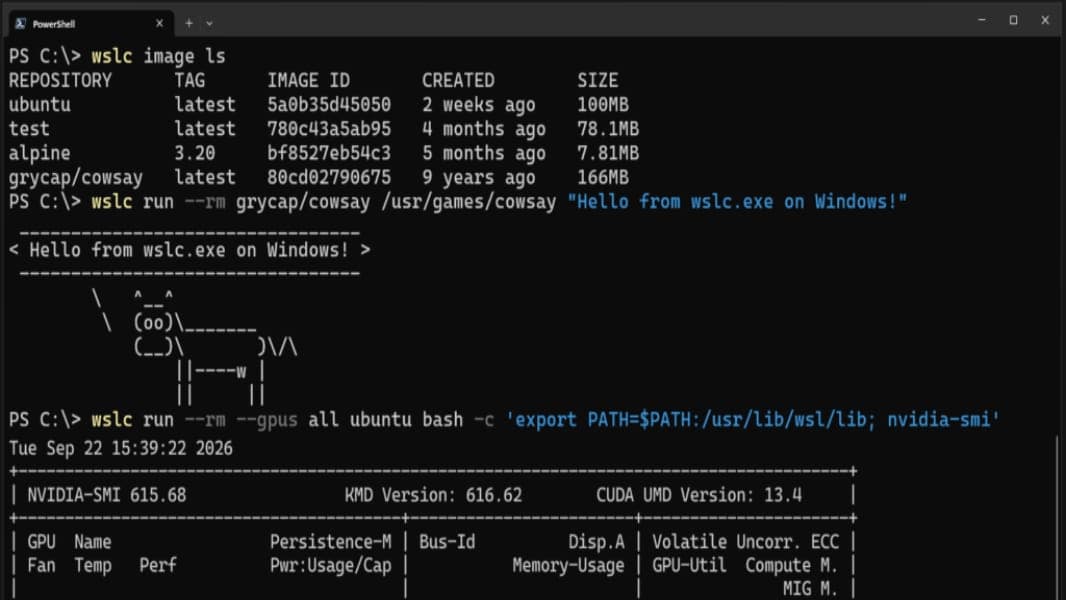
Microsoft makes WSL Containers generally available on Windows 11
Microsoft's built-in way to run Linux containers on Windows 11, without installing Docker Desktop, has left preview with a new CLI, an API, and enterprise controls.
Microsoft takes down a phishing marketplace behind 1 billion scam messages
Microsoft and Health-ISAC seized domains behind YAM Store, CoGUI and Iron Man, three services that sold scammers accounts, fake websites and ready-made lures used in more than 1 billion messages this year.
More in brief
- The world's timekeepers vote to end the leap second in 2027Oct 16
- Tesla reveals the new Roadster, and the top version can lift off the groundOct 16
- Microsoft finishes training MAI-Base-2, a 2.8-trillion-parameter AI modelOct 16
- Withings now charges new users to sync health data with Apple HealthOct 15
- Google Messages gets an opt-in Gemini mode to catch slow-burn scamsOct 15
- Anthropic gives six METR researchers employee-like access to check its AIOct 15