
Technology·News & analysis
Microsoft makes WSL Containers generally available on Windows 11
Microsoft's built-in way to run Linux containers on Windows 11, without installing Docker Desktop, has left preview with a new CLI, an API, and enterprise controls.
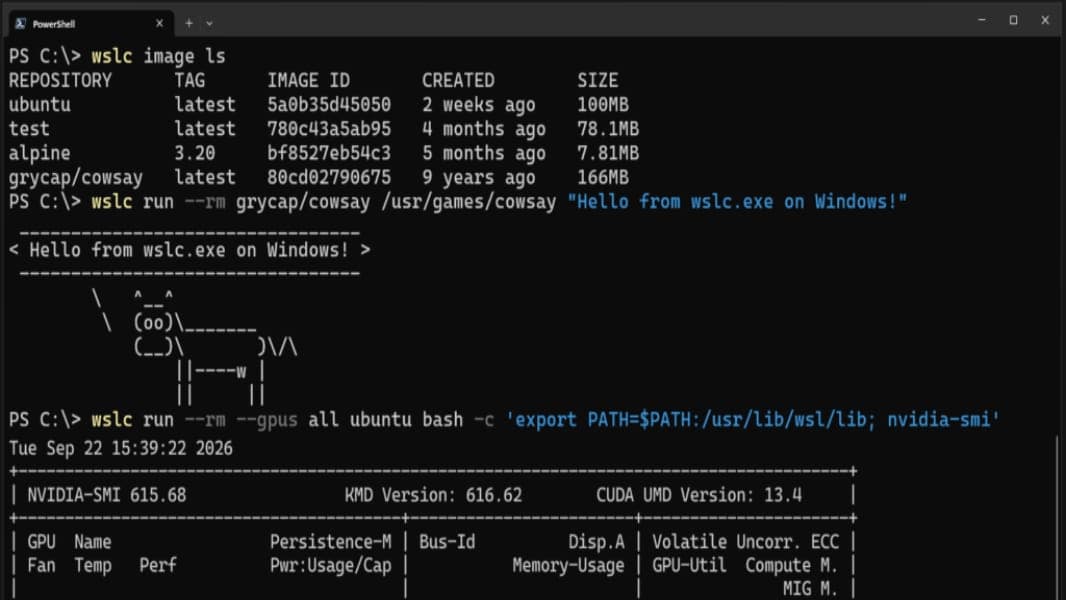
Microsoft made WSL Containers generally available on Windows 11, giving developers a built-in way to run Linux containers without installing Docker Desktop.
The release adds a wslc.exe command line tool, a programmatic API, and IT controls through Defender and Intune. Microsoft says file access between Windows and Linux containers is up to 2x faster than before. Compose support, the single most requested missing feature, still isn't there, so teams with existing docker-compose workflows can't fully switch over yet.
What to know
- Microsoft made WSL Containers generally available on Windows 11, letting developers build, run, and deploy Linux containers without Docker Desktop.
- The GA release adds a new wslc.exe CLI, an API for embedding containers in native Windows apps, and enterprise controls through Microsoft Defender and Intune.
- Microsoft claims up to 2x faster performance when Linux containers access files stored on Windows, versus the older WSL2 setup.
- Compose support, Microsoft's own top feature request, is still missing and under development.
Windows 11 now has a built-in way to run Linux containers that doesn't involve installing anything else first.
Microsoft announced that WSL Containers is generally available, moving the feature out of preview with a new command line tool, a programmatic API, and a set of enterprise management controls. The goal is straightforward: let developers build, run, and deploy Linux containers directly through the Windows Subsystem for Linux, without reaching for Docker Desktop.
What Microsoft shipped
The centerpiece of the release is wslc.exe, the command line interface for managing containers. Developers who prefer familiar container commands can use its built-in alias, container.exe, instead.
Why it matters: getting started only takes running wsl --update in a terminal, or downloading the tool from Microsoft's GitHub repository, according to the Windows Developer Blog. There's no separate installer or account sign-in required, which has been a point of friction with some third-party container tools.
The GA release adds several capabilities that weren't in the preview:
wslc container restartandwslc container cpfor moving files in and out of a running container using tar.--stop-timeoutsupport, including an infinite-1setting for containers that shouldn't shut down automatically.- Container health checks, so a container can report whether it's actually working, not just running.
wslc network connect,disconnect, andcreatecommands, the last of which accepts arbitrary driver options.wslc system infoandwslc events, for checking system status and streaming container activity in real time.
How it works under the hood
WSL Containers isn't a new container format. Inside the Linux virtual machine it manages, the actual work is done by Moby, the same open-source engine that powers Docker itself.
The big picture: Microsoft built a first-party front door to a well-established container runtime rather than inventing something new. Each container session gets its own storage VHD and a distinct networking model, which Microsoft says provides stronger isolation between sessions compared to older WSL setups.
Performance is one of the headline claims. Microsoft says file access between Windows and Linux containers is up to 2x faster than before, alongside a new networking mode called consomme. Cross-OS file performance has historically been one of WSL's weaker points, since every file read or write has to cross the boundary between the Windows and Linux filesystems.
In real life If you've ever mounted a Windows-side project folder into a WSL container and watched a build crawl because of slow file I/O, this is the specific problem Microsoft says the new networking mode targets.
What's still missing
The catch: Compose support isn't part of this release. Microsoft directly acknowledges this in its own announcement, calling it "our top feature request for WSLc."
The company says it's working toward a wsl compose up command that would run existing compose.yaml files without modification, letting teams bring their current Docker Compose setups over unchanged. Until that lands, developers with multi-container projects defined in Compose files have a reason to stick with Docker Desktop or another tool that already supports it.
Microsoft also positions WSL Containers as complementary rather than a full replacement. Docker Desktop, Podman Desktop, and Rancher Desktop all remain viable options, and Microsoft frames WSL Containers as aimed at developers who only need basic container functionality, not teams with more complex orchestration needs.
A history that comes full circle
WSL's relationship with containers on Windows goes back further than this release. WSL 2, which runs a real Linux kernel built by Microsoft inside a lightweight virtual machine, arrived with the Windows 10 May 2020 Update.
Docker itself was an early adopter. Shortly after WSL 2 launched, Docker Desktop switched to using it as a backend, which cut cold-start times for the Docker daemon from nearly a minute down to under 10 seconds and, notably, brought Docker Desktop to Windows Home editions for the first time. Before that, running Docker on Windows required Windows Pro or Enterprise because of a dependency on Hyper-V.
Background: for years, WSL has quietly been the plumbing Docker Desktop itself relies on to run Linux containers on Windows. WSL Containers effectively cuts out the middle layer, letting Microsoft offer the same underlying capability directly, without a third-party application sitting on top of it.
Why the licensing angle matters
By the numbers: Docker Desktop stopped being free for large organizations in 2021. Companies with more than 250 employees or over $10 million in annual revenue have had to pay for a Docker Desktop subscription since August 2021, starting at $5 per user a month for the Pro tier and reaching $21 per user a month for the Business plan.
Docker Desktop remains free for individuals, small businesses under that threshold, schools, and non-commercial open-source work. But for developers at larger companies, a Microsoft-built alternative that ships inside Windows itself, with no separate license or subscription, changes the calculation.
Neither Microsoft's announcement nor the outlets covering it frame WSL Containers explicitly as a response to Docker's pricing. Microsoft's own language sticks to positioning it as a tool for "developers who only need basic container functionality." But the timing, arriving as a free, first-party option built into the operating system millions of developers already run, is hard to separate from years of developer frustration over Docker Desktop licensing costs at scale.
Enterprise and security controls
Organizations get two new levers for managing WSL Containers at scale.
- Microsoft Defender for Endpoint integration extends visibility into container process activity, file operations, and network traffic, giving security teams the same monitoring they'd expect from other endpoint activity.
- Microsoft Intune controls let IT administrators allow or block WSL Containers entirely, and set registry allow lists that restrict which container image sources are approved for use.
Who's affected: this matters most for IT departments managing developer laptops at companies with strict software policies. A built-in, Microsoft-controlled container runtime with Intune policy support is a very different security conversation than developers independently installing third-party tools.
The API and app integration
Beyond the command line, Microsoft is opening WSL Containers up to developers building their own Windows applications. The company says its API lets developers "run Linux containers programmatically in your native Windows apps," enabling use cases like local AI workloads that need a Linux environment without shipping a full Docker installation alongside the app.
Partner integrations already announced include support in VS Code dev containers, the Aspire application runtime, and a dedicated VS Code container extension. Microsoft also points to community-built tools, including terminal dashboards and desktop apps, that have already started supporting WSL Containers ahead of the GA release.
What's next
Microsoft says Compose support remains the priority, alongside continued work on core networking and cross-OS file performance, the same file-access bottleneck the 2x performance claim is meant to start addressing.
For now, WSL Containers is positioned as the lightweight option: Windows 11 only, no Docker Desktop license or installation required, built around the same Moby engine developers already know, with the more advanced multi-container workflows still pointing back to the established tools until Compose support arrives.
The bottom line
WSL Containers moving to general availability gives Windows 11 developers a genuinely built-in alternative to Docker Desktop for straightforward container work, backed by real enterprise controls through Defender and Intune. It's not a full replacement yet: without Compose support, anyone running multi-container projects still needs another tool. Microsoft has named that gap itself and pointed to it as the next priority.
Key facts
- Status
- Generally available, September 29, 2026
- New CLI
- wslc.exe (alias: container.exe)
- Performance claim
- Up to 2x faster Windows-to-Linux file access
- Still missing
- Docker Compose support
Got questions?
Quick answers, plain wordsWhat is WSL Containers?
A built-in feature of Windows 11 that lets developers run Linux containers natively through the Windows Subsystem for Linux, without installing Docker Desktop.
How do I get WSL Containers?
Run wsl --update in a terminal, or download it from Microsoft's GitHub repository, according to the Windows Developer Blog.
Does WSL Containers replace Docker Desktop?
Not fully. Microsoft says it's aimed at developers who need basic container functionality; Docker Desktop, Podman Desktop, and Rancher Desktop remain options for more advanced use cases.
What is wslc.exe?
The primary command line tool for WSL Containers. It has a built-in alias, container.exe, for developers who prefer that naming.
Does WSL Containers support Docker Compose?
Not yet. Microsoft calls it the top feature request and says it's working toward wsl compose up running existing compose.yaml files unchanged.
What runs Linux containers under the hood?
Moby, the same open-source container engine that powers Docker, runs inside the Linux VM WSL Containers manages.
Are there enterprise controls for WSL Containers?
Yes. Microsoft Defender for Endpoint can monitor container process, file, and network activity, and Microsoft Intune can allow or block WSL Containers access and restrict which image sources are approved.
Is WSL Containers available on Windows 10?
No, the feature is exclusive to Windows 11.
SourcesWindows Developer Blog
Topics and tagsMicrosoft, microsoft, windows 11, wsl
Related stories

Xbox will turn your game discs digital for free, but sell them and you lose everything
Xbox's Disc to Digital program is now live for everyone, converting eligible physical discs into digital licenses for free, but selling or losing the disc can revoke your access.
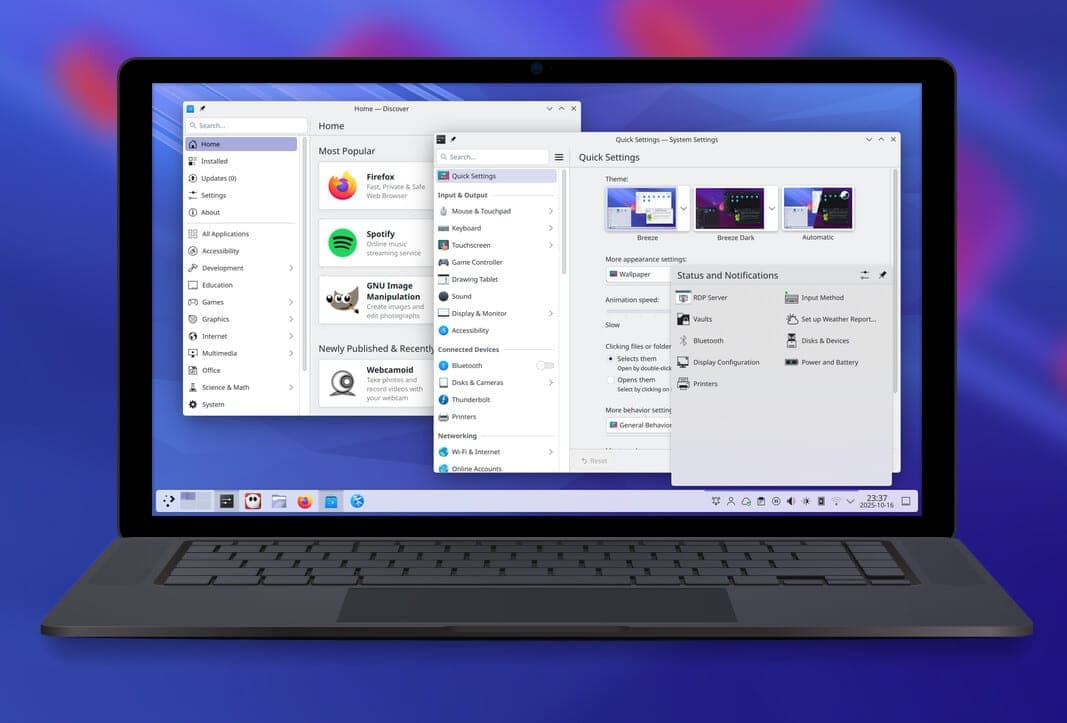
KDE turns 30, and its next release finally drops X11 for good
KDE Plasma 6.8 arrives October 14, on KDE's 30th anniversary, as the first version to run exclusively on Wayland, ending nearly three decades of X11 support.
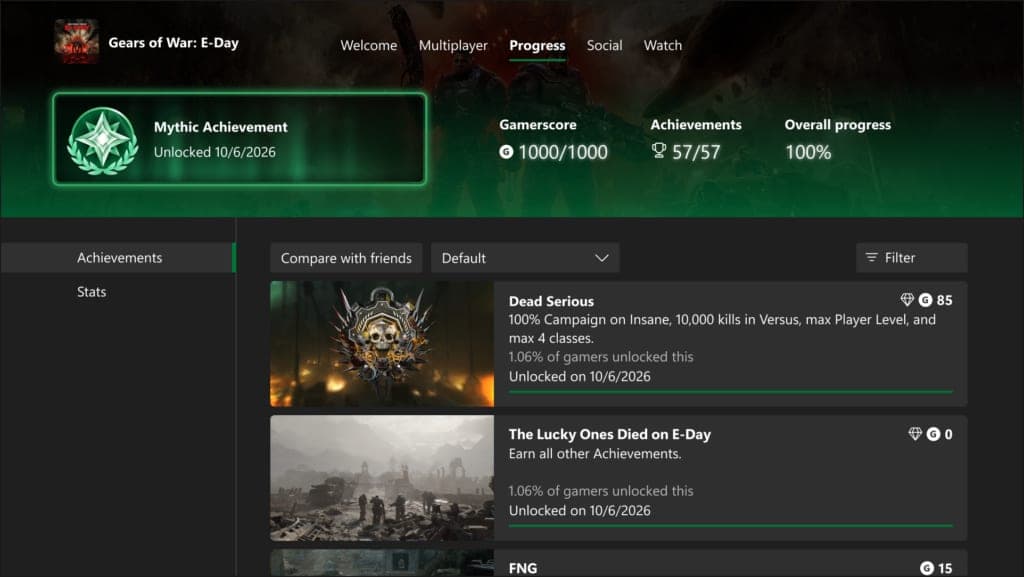
Xbox finally has its own version of PlayStation's Platinum trophy
Xbox is rolling out Mythic Achievements to Insiders, a new badge for completing every achievement in a game that's retroactive all the way back to Xbox 360 titles.
More in brief
- arXiv limits researchers to two papers a month as AI drives submissions to a recordOct 2
- California will fine robotaxi companies that block first responders for over 30 minutesOct 2
- Microsoft launches real-time transcription and new voice models for AI voice agentsOct 1
- Apple's smart home hub reportedly launches October 13, with a camera that never records videoOct 1
- Cloudflare releases Clef, open-weight AI models that make yes-or-no decisions fastOct 1
- GrayKey maker reportedly found a way around the iPhone's Inactivity RebootOct 1