
AI·News & analysis
OpenAI gives Codex reusable cloud environments and voice-controlled tasks
At DevDay 2026, OpenAI added reusable cloud development environments, a voice-controlled CLI, and automated code review to its Codex coding assistant.
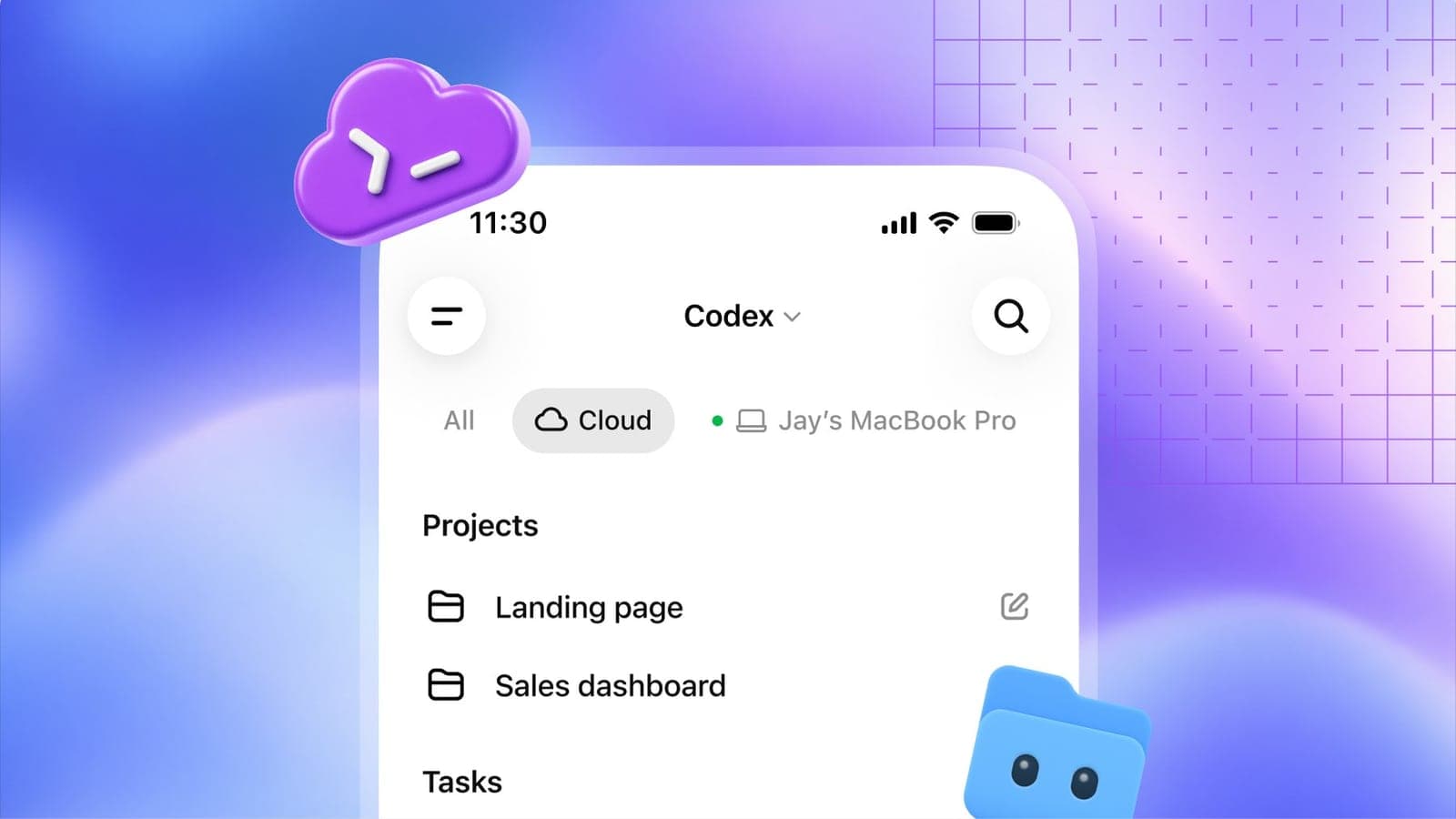
OpenAI announced reusable cloud environments, voice control, and automated security scanning for Codex at DevDay 2026, its coding assistant.
These updates push Codex further from a code-completion tool toward a persistent development environment that follows a programmer across devices and works independently while they're away. Combined with the automated security scanning, OpenAI is positioning Codex as infrastructure a development team relies on continuously, not a tool developers open only when actively coding.
What to know
- OpenAI announced reusable cloud development environments for Codex, letting developers access shared, pre-configured coding setups from a laptop, phone, or the cloud.
- A refreshed Codex CLI adds voice-controlled tasks, letting developers start and steer coding tasks by speaking commands.
- A new code review experience inside ChatGPT's desktop app lets developers review summaries and changes and consult Codex before submitting feedback on GitHub or GitLab.
- Codex Security Cloud scans repositories on a schedule, investigates findings, and prepares fixes automatically, including access to OpenAI's Daybreak Blue cybersecurity models.
- The updates are available across Plus, Pro, Business, Healthcare, Education, and Enterprise plans.
OpenAI just made its coding assistant follow developers around everywhere instead of staying stuck wherever they last opened it up.
What launched
At DevDay 2026, OpenAI announced a set of Codex updates centered on one core shift: development work that persists and travels across devices rather than living in a single isolated session.
- Reusable cloud environments: shared, pre-configured coding setups accessible directly from a laptop, phone, or the cloud.
- Voice-controlled CLI: developers can start and steer coding tasks by speaking commands.
- Automated code review: Codex can review changes and flag potential issues before a developer even opens the code.
The catch: this isn't just a UI refresh. It's a structural change to how Codex environments persist between sessions and devices.
How the cloud environments actually work
Previously, Codex relied on isolated sandbox environments that didn't carry over between sessions. The new reusable cloud environments change that, giving development teams a shared workspace with approved settings and permissions that persists over time.
OpenAI frames the benefit directly: these environments "help tasks start more quickly and give teams a shared workspace with approved settings and permissions," rather than developers reconfiguring an environment from scratch every time they pick up a task.
That continuity matters practically. A developer can start a task on a work laptop and check on its progress from a phone later, without losing context or needing to rebuild the environment on each device.
The CLI gets a voice, and more
The refreshed Codex CLI's headline addition is voice control, letting developers start and direct coding tasks by speaking rather than typing commands. Beyond voice, the update includes a new "/agents" view specifically for tracking and delegating multiple tasks at once.
By the numbers: the refresh also brings smaller but meaningful quality-of-life improvements, including prompt editing, session resumption, worktree support, and a cleaner terminal interface designed specifically for longer working sessions rather than quick one-off commands.
Code review, built into ChatGPT itself
OpenAI also added a dedicated code review experience directly inside ChatGPT's desktop app. Developers can review code summaries, examine specific changes, and consult Codex about potential issues before submitting feedback on GitHub or GitLab.
Why it matters: Codex can also perform an initial automated review entirely on its own, while a developer is away from their computer, meaning some first-pass review work can happen without anyone actively driving it. That shifts part of the review workflow from something a developer initiates to something running continuously in the background.
Security scanning that works while you're offline
Alongside the developer-experience updates, OpenAI introduced Codex Security Cloud, a tool built specifically for scanning and hardening code repositories. It can scan entire GitHub repositories either on demand or on a set schedule, with ongoing checks applied to new commits as they land.
What it actually does: Codex investigates any findings, removes duplicate issues, and prepares fixes in the cloud, all of which can happen even with a developer's laptop closed. The toolset also includes access to models from OpenAI's Daybreak Blue cybersecurity initiative, without developers needing to submit a separate application to use them.
That combination, continuous scanning plus automated fix preparation, positions Codex Security Cloud as something closer to an always-on security team member than a tool a developer runs manually when they remember to.
Who actually gets this
The updated Codex features are available across a wide range of OpenAI's subscription tiers: Plus, Pro, Business, Healthcare, Education, and Enterprise. That breadth suggests OpenAI is treating these updates as broadly relevant infrastructure rather than a premium feature reserved only for its highest-paying enterprise customers.
The model powering these speed gains
These Codex updates arrive alongside a new underlying model, GPT-6.1 Sol, which OpenAI says nearly matches its flagship GPT-6 Astra model's coding performance at roughly a fifth of the cost. On DeepSWE v1.1, a benchmark for complex software-engineering tasks in real codebases, GPT-6.1 Sol scored 75.2% at higher reasoning settings, beating GPT-6 Sol's prior best of 68.8%.
Why that matters for Codex specifically: OpenAI reports up to 8x faster token generation in Codex and 6x faster in its API as a direct result of the new model, the kind of speed improvement that makes features like voice-controlled tasks and continuous background security scanning practical rather than frustratingly slow.
The model's gains extend beyond raw coding benchmarks too. On AutomationBench, which tests whether an AI agent can correctly complete multi-step business workflows, GPT-6.1 Sol scored 2.2 percentage points above Anthropic's Opus 5.5 at medium reasoning effort, while costing roughly a third as much per task.
On OSWorld 2.0, a benchmark for computer-use tasks like navigating interfaces and completing on-screen actions, it outperformed GPT-6 Sol by seven percentage points and came within 2.1 percentage points of Astra's score at about one-seventh the cost per task.
Why those specific benchmarks matter for Codex: reusable cloud environments and automated security scanning both depend on an underlying model that can reliably complete multi-step tasks without constant human correction. A faster, cheaper model that still performs close to OpenAI's top-tier Astra is what makes running those features continuously, rather than only during active coding sessions, financially and practically viable at scale.
A crowded, fast-moving market
Codex isn't operating in an uncontested space. The AI coding assistant market has shifted dramatically over the past two years: GitHub Copilot held a near-monopoly after its 2021 launch, Cursor became the dominant agentic coding tool through 2025, and by early 2026, Anthropic's Claude Code had overtaken both in professional usage and developer satisfaction.
Codex's own trajectory has been notably fast. The tool rose from near-zero usage in mid-2025 to more than 3 million weekly active users by April 2026, with one survey of senior engineers finding Codex usage had already reached roughly 60% of Cursor's.
GitHub has since moved to integrate both Claude and Codex directly into Copilot itself, letting developers choose between competing AI coding agents inside a single core development experience rather than picking one tool exclusively.
That competitive backdrop is exactly why these updates matter beyond their individual features. Reusable cloud environments, voice control, and continuous security scanning are Codex's answer to a market where developer loyalty has proven to shift quickly, and where feature parity alone hasn't been enough to hold onto share.
Part of a bigger DevDay push
These Codex updates didn't launch in isolation. They arrived the same day as ChatGPT Space, OpenAI's new collaborative workspace product, Dots, its always-on AI agents, and the GPT-6.1 Sol model, all part of a broader slate of more than 20 announcements at DevDay 2026.
Why that context matters: taken together with Space and Dots, these Codex updates reflect a consistent theme running through OpenAI's DevDay announcements this year, building persistent, cross-device, continuously working AI tools rather than session-based assistants that reset every time a user closes the app.
The bottom line
OpenAI's Codex updates trade isolated, single-session coding assistance for something closer to a persistent development teammate that follows a programmer across devices and keeps working on security and review tasks even when they've stepped away. Whether developers actually adopt voice-controlled coding in shared office environments remains an open question, but the reusable cloud environments and always-on security scanning address genuinely practical friction points in day-to-day development work.
Key facts
- New feature
- Reusable cloud development environments
- CLI addition
- Voice-controlled task management
- Security tool
- Codex Security Cloud
- Security model access
- Daybreak Blue
- Available on
- Plus, Pro, Business, Healthcare, Education, Enterprise
Got questions?
Quick answers, plain wordsWhat are Codex's new reusable cloud environments?
Persistent, shareable development environments that replace the previous isolated sandbox approach, letting developers access and share configurable coding setups with approved settings and permissions from any device, laptop, phone, or the cloud.
How does the voice-controlled CLI work?
The refreshed Codex CLI lets developers start and steer coding tasks using spoken commands, alongside a new /agents view for tracking multiple tasks, prompt editing improvements, session resumption, and worktree support.
What does the new code review experience do?
Built into ChatGPT's desktop app, it lets developers review code summaries and changes and consult Codex about potential issues before leaving feedback on GitHub or GitLab. Codex can also perform an initial automated review while a developer is away.
What is Codex Security Cloud?
A tool that scans entire GitHub repositories on demand or on a schedule, checks new commits continuously, investigates findings, removes duplicate issues, and prepares fixes in the cloud even when a developer's laptop is closed.
What is Daybreak Blue?
OpenAI's cybersecurity initiative, whose models are now accessible through Codex Security Cloud without developers needing to submit a separate application.
Who can use these new features?
They're available across OpenAI's Plus, Pro, Business, Healthcare, Education, and Enterprise plans, covering both individual developers and larger organizational deployments.
How is this different from Codex's previous approach?
Codex previously relied on isolated sandbox environments rather than persistent, reusable ones, and lacked voice control, automated ongoing security scanning, and cross-device continuity for in-progress tasks.
Was this announced alongside other DevDay news?
Yes. It was announced the same day as ChatGPT Space, Dots always-on agents, and the GPT-6.1 Sol model, part of a broader set of more than 20 announcements at OpenAI's DevDay 2026 event.
SourcesTechCrunch
Topics and tagsOpenAI, openai, codex, devday
Related stories

OpenAI just launched Dots, its answer to Meta's AI agent that's had investors buzzing all month
OpenAI unveiled Dots at DevDay, always-on AI agents with their own cloud computer, three weeks after Meta's Muse agent helped send Meta stock up 29% this month.
OpenAI launches ChatGPT Space, a shared workspace that looks a lot like an office suite
OpenAI unveiled ChatGPT Space at DevDay 2026, a shared workspace with AI-native documents and slides that puts it in direct competition with Microsoft Office and Google Workspace.

ChatGPT can now show you wearing clothes before you buy them
OpenAI launched virtual try-on and a Favorites list in ChatGPT's shopping results worldwide. Upload a photo of yourself and see how a jacket or accessory might look on you.
More in brief
- arXiv limits researchers to two papers a month as AI drives submissions to a recordOct 2
- California will fine robotaxi companies that block first responders for over 30 minutesOct 2
- Microsoft launches real-time transcription and new voice models for AI voice agentsOct 1
- Apple's smart home hub reportedly launches October 13, with a camera that never records videoOct 1
- Cloudflare releases Clef, open-weight AI models that make yes-or-no decisions fastOct 1
- GrayKey maker reportedly found a way around the iPhone's Inactivity RebootOct 1