
Technology·News & analysis
Apple Watch can now replay what someone just said, in beta
Apple's Live Rewind and Siri Recap are now in beta on the Apple Watch Series 12 and Ultra 4. One shows the last 15 seconds of speech as text, the other sums up whole conversations.
Tide
Wave
Sci-fi
5/10
Reality
Demo
A wrist that hears what you missed and keeps quiet about it.How we rate
Apple began beta testing Live Rewind and Siri Recap, two Audio Intelligence features, in watchOS 27.3 for the Apple Watch Series 12 and Ultra 4.
Live Rewind shows the last 15 seconds of speech as text, while Siri Recap summarizes conversations with a title and key points. Apple says neither keeps raw audio. The features start in English, outside the EU, with daily limits, and a public beta is planned next.
What to know
- Apple's Live Rewind and Siri Recap are now in beta testing in watchOS 27.3, for the Apple Watch Series 12 and Apple Watch Ultra 4.
- Live Rewind turns the last 15 seconds of speech into text when you double-press the Digital Crown. An unsaved snippet is deleted after 30 seconds.
- Siri Recap writes a short title and key points for a conversation. Unsaved recaps delete themselves within seven days.
- Both features start in English only, not in the EU, and need an iPhone 16 or later with Apple Intelligence (not the iPhone 16e).
Apple started beta testing two new Apple Watch features on Tuesday: Live Rewind and Siri Recap. One replays what someone just said. The other sums up whole conversations. Now the fun part: how does a watch do that without turning into a tiny wiretap?
Apple first showed both features at its September event, along with the Apple Watch Series 12 and Apple Watch Ultra 4. Now you can try them, if you are happy to install an early version of the software.
What is Audio Intelligence?
Audio Intelligence is Apple's name for a group of four opt-in features that use the watch's microphone. All four need the newest watch models.
- Sound Recognition: spots important sounds like sirens, alarms and doorbells. It is aimed at deaf and hard-of-hearing users.
- Music Recognition: uses Apple's Shazam to name a song playing nearby, faster than before.
- Live Rewind: shows what someone just said, as text.
- Siri Recap: writes short notes about a conversation.
The first two are about sounds. The last two are about people talking, which is why they get the most attention.
How does Live Rewind work?
Think of it as a rewind button for real life. Someone gives you directions, a waiter reads a long list of specials, or an airport announcement is too muffled to follow. You double-press the Digital Crown.
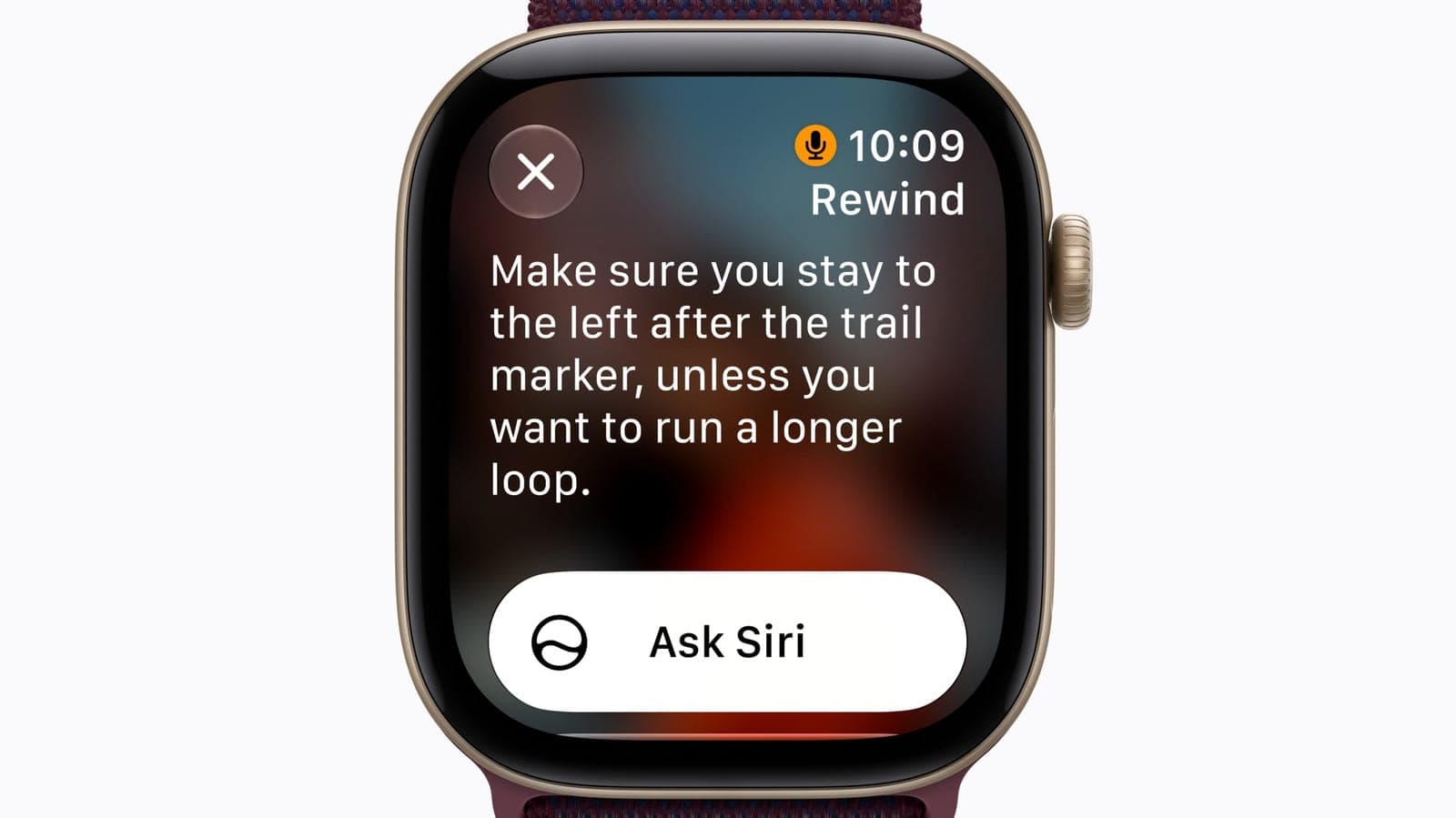
The watch then shows the last 15 seconds of speech as a text snippet on its screen. A chime plays and an animation appears, so the people near you can tell that something was captured. Apple says the chime plays even when the watch is on silent.
You have three choices once the text is up:
- Do nothing: the snippet disappears for good. Apple says unsaved snippets are deleted after 30 seconds.
- Ask Siri: tap the "Ask Siri" button under the text if you want to know what a word or a dish means.
- Save it: keep the snippet in the Siri app, the standalone app that arrived with iOS 27.
In real life You are at a trail start and a ranger says the route in one fast breath. You double-press the crown, read "stay left after the trail marker," and nobody has to say it twice.
What does Siri Recap do?
Siri Recap goes further. It listens over a longer stretch and then writes notes for you. After a conversation, Apple Intelligence makes a title and a short list of key points.
It does not write down every word. Apple says the feature doesn't identify who said what, doesn't keep the raw audio and doesn't give a word-for-word transcript. It works more like a friend jotting down the main points.
Why it matters: a recap can catch dates, deadlines, prices and payment plans. Apple suggests uses like work meetings, parent-teacher conferences and personal training sessions, when your hands or your attention are busy.
Recaps don't record while you listen to music through headphones or use noise cancellation. They also leave out some sensitive details, such as government ID numbers and financial or login data.
How long does your data stay around?
Both features delete things quickly unless you choose to keep them.
- Live Rewind snippets: gone after 30 seconds if you don't save them.
- Siri Recaps: gone within seven days if you don't save them.
- Daily review: when Siri Recap is on, the watch asks you at the end of the day, and again when you first unlock it in the morning, which recaps to keep.
- Where saved notes go: the Notes app, or the Journal app if they are more personal.
You can switch Siri Recap on by hand or give it a schedule, like work hours only, or never at night. Even on a schedule, you can turn it off at any moment from the Control Center.
Where does the audio go?
This is the question that decides whether people trust the feature. Apple's answer is built around the watch's S11 chip.
The chip has an always-on processor with a secure enclave, a locked-away piece of memory that the rest of the system can't read. A small audio buffer, a short holding area for sound, works inside it. Apple says the raw audio can't be reached by the operating system, by apps, by you or by Apple.
Light AI models on the watch pick out the parts that matter. The watch then passes the audio to your paired iPhone through a secure link. The iPhone runs Apple Intelligence models, and for a recap it can also use Private Cloud Compute, Apple's own servers built to process requests without keeping them.
Apple says the recap and anything used to make it are deleted from those servers right away. The finished recap is only readable by you, and it is encrypted when it syncs between your Apple devices. Apple also says none of this should hurt battery life on the watch or the phone.
The catch: an always-on microphone raises fair questions. Apple's design is a set of promises about what the system does, and the chime, the animation and the opt-in switches are how it tries to make the listening visible.
Why is Apple being so careful?
Gadgets that listen to people have run into backlash. AI glasses, like Meta's, and other AI wearables have made many people uneasy about being recorded without a clear sign.
Apple's answer is to copy what a person already does. You can jot down a note about a talk in your own words. A recap is meant to do the same: key points, with no tone and no emotion, and no record of who said which line.
The design choices all point the same way:
- A chime and an animation: they tell people nearby that Live Rewind was used.
- A microphone indicator: it shows on the screen while the feature is in use.
- No speaker names: Audio Intelligence doesn't identify or label who is talking.
- Opt-in switches: some of the features have to be turned on by hand, and each can be turned off.
Whether that is enough is up to each person. Some users will leave Siri Recap off, and that is a normal choice.
What is the Siri app in all this?
The Siri app is the standalone app that came with iOS 27. It is the home for what you choose to keep. Saved Live Rewind snippets go there, and so do the titles and key points from Siri Recap, so you can look them up when you need to jog your memory.
What do you need to try it?
The checklist is long, and it is the main reason most people can't test it yet.
- Watch: an Apple Watch Series 12 or Apple Watch Ultra 4.
- Phone: an iPhone 16 or later with Apple Intelligence on. The iPhone 16e is not included.
- Software: the watchOS 27.3 beta, aimed first at developers.
- Language and place: English only, and not in the EU.
- Limits: both features have daily usage limits.
What's next: the features move to the public beta for wider testing, and then they are meant to reach everyone. Apple has not named a date.
What it means for you
- If you own a Series 12 or Ultra 4: you can try these now through the beta, but expect rough edges. Betas are for testing.
- If you own an older watch: nothing changes. These features rely on the S11 chip.
- If you care about privacy: read the settings first. Both features are opt-in, and you can turn them off.
- If you talk to people near you: the chime is the signal. Expect questions if you use Live Rewind in a quiet room.
- If you live in the EU: you will have to wait, as the features are not available there.
The bottom line
Live Rewind and Siri Recap give your wrist a short memory for things people say. Apple built them with quick deletion, a chime and opt-in switches, because a watch that listens has to earn trust.
For now it is a beta on two watches, in English, outside the EU. If it works as described, it could be one of the most useful small features on the watch.
Key facts
- Watches
- Apple Watch Series 12 and Ultra 4
- Beta
- watchOS 27.3 (developer beta)
- Live Rewind window
- Last 15 seconds
- Unsaved data deleted
- Snippets in 30 seconds, recaps in 7 days
- Languages and regions
- English only, not in the EU
Got questions?
Quick answers, plain wordsWhat are Live Rewind and Siri Recap?
They are two of the four Audio Intelligence features on the newest Apple Watch models. Live Rewind shows the last 15 seconds of speech as text. Siri Recap writes a short summary of a conversation.
Which Apple Watch models get them?
Only the Apple Watch Series 12 and the Apple Watch Ultra 4. These are the models Apple introduced in September, and they have the S11 chip that handles the audio.
Do I need an iPhone?
Yes. You need a compatible iPhone with Apple Intelligence turned on. That means an iPhone 16 or later, but not the iPhone 16e.
How do I use Live Rewind?
Double-press the Digital Crown. The watch plays a chime, shows an animation and a microphone indicator, and then shows the last 15 seconds of speech as text.
Does the Apple Watch record my conversations?
Apple says no. It says the features don't save raw audio, and that the audio is processed in a protected area of the S11 chip. Siri Recap only keeps a short written summary.
Can people around me tell it is listening?
Live Rewind plays a chime and shows an animation and a microphone indicator when you use it, even if the watch is on silent. Siri Recap doesn't name who spoke.
How long are the notes kept?
A Live Rewind snippet you don't save is deleted after 30 seconds. A Siri Recap you don't save is deleted within seven days. Saved items can live in the Siri app, Notes or Journal.
Is it available in the EU or in other languages?
Not at first. Both features launch in English only and are not available in the EU. They also have daily usage limits.
Can I turn Siri Recap off?
Yes. It is opt-in, you can set a schedule such as work hours only, and you can switch it off at any time from the Control Center.
When will everyone get it?
Apple has not given a date. The features go to a public beta first for wider testing, and after that they are meant to reach all users.
SourcesEngadget
Topics and tagsApple, apple, apple watch, siri
Related stories
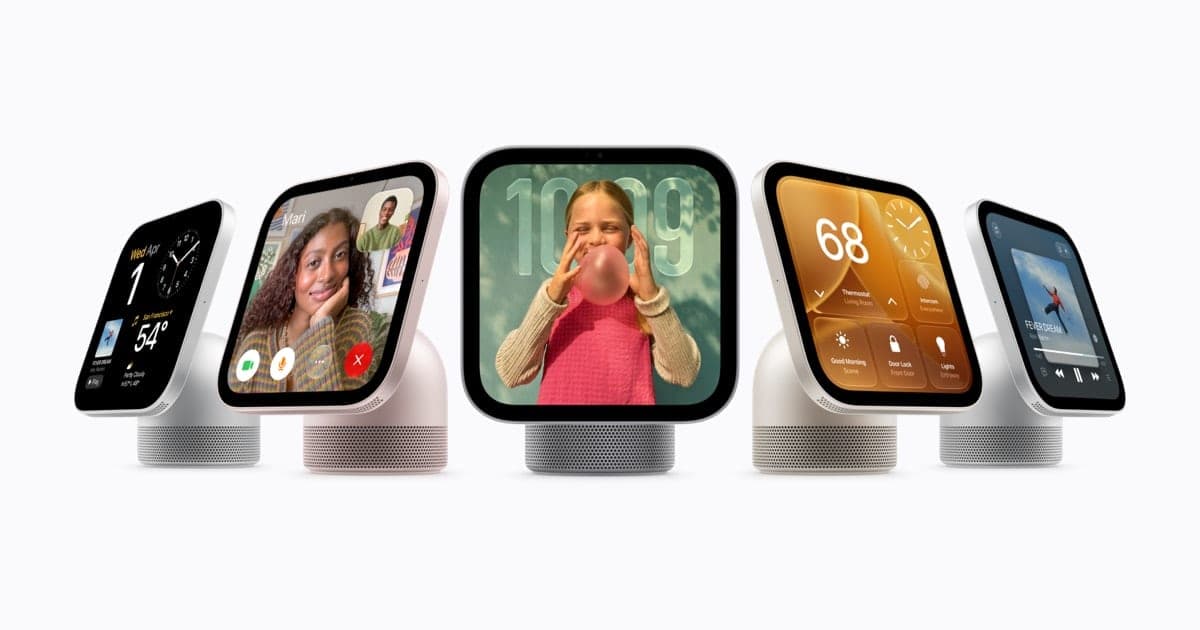
Apple's $299 HomeView knows your face, but only when your iPhone is home
Apple's first smart display recognizes up to six people by face and gives each one a private Home Screen. The catch: your own iPhone or iPad has to be nearby and recently unlocked.
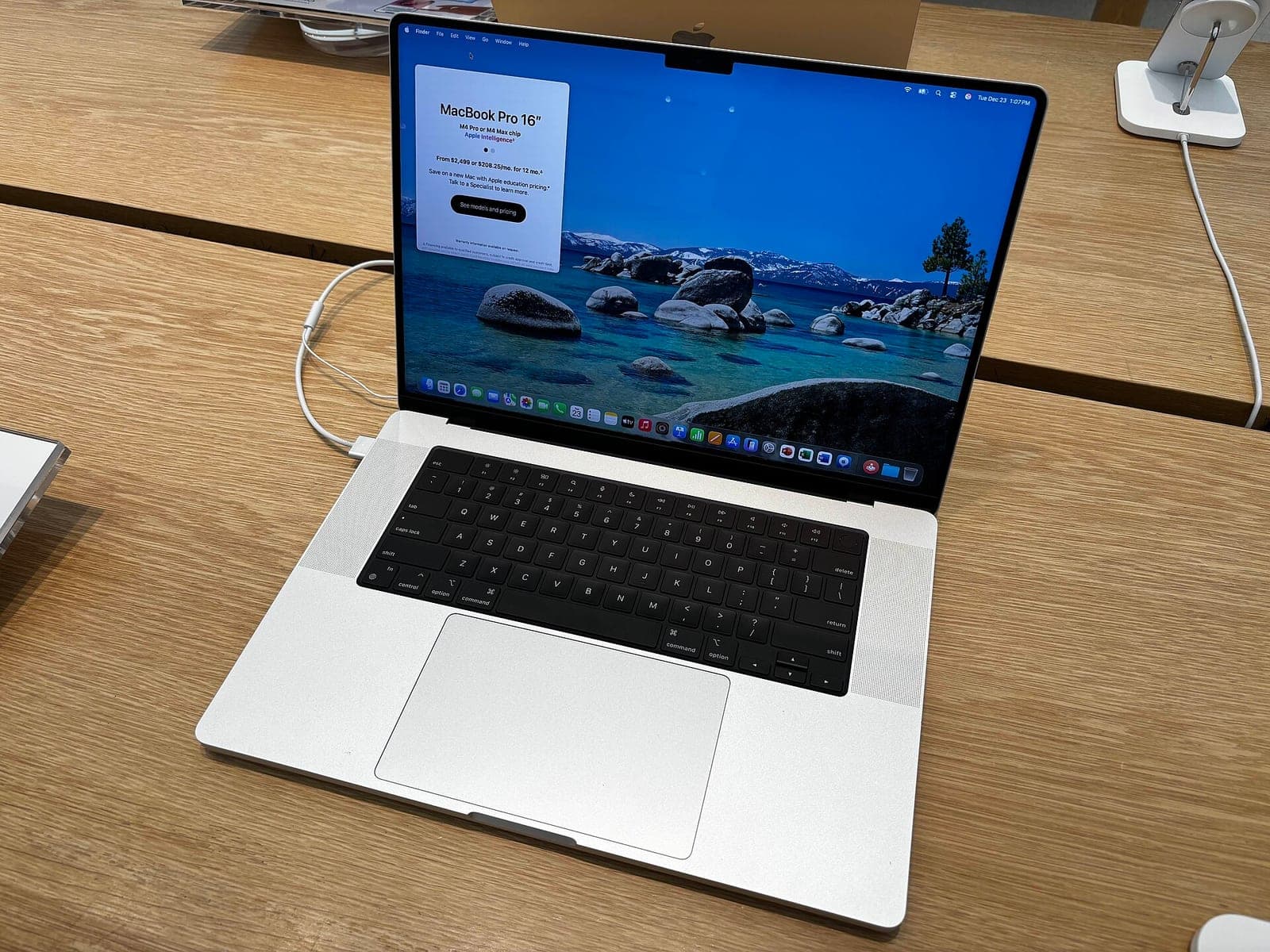
Apple is tightening Mac 'Full Disk Access' because of AI agents
Apple says some apps use the powerful macOS permission in risky ways, and that AI agents make the danger bigger, so granting it will soon take very explicit user action.
Apple's smart home hub reportedly launches October 13, with a camera that never records video
Bloomberg's Mark Gurman says Apple will announce its long-rumored smart home display on October 13. He also describes a companion home camera that sends text descriptions instead of video.
More in brief
- Robots race up Mount Tai's 3,100 stone steps in China's first mountain contestNov 3
- Apple posts record $114.5 billion quarter, then warns of slower growthNov 3
- Agility Robotics clears its SPAC vote and heads to Nasdaq this weekNov 3
- Marvell to buy Lumentum in a $115 billion all-stock deal for AI opticsNov 2
- Google cuts off a botnet of 1.3 million Android TV boxes built in at the factoryNov 2
- Anthropic confirms Claude Code now steers away from cloning existing gamesNov 2