
Technology·News & analysis
Microsoft 365 Family plans move to 2 TB of shared OneDrive storage
Microsoft is replacing 1 TB per person with one shared pool for Family, Premium and Pro plans. A fully used six-person Family plan drops from 6 TB to 2 TB, starting at renewals after May 2, 2027.
Tide
Wave
Sci-fi
1/10
Reality
Shipping
Cloud storage becomes one big shared closet.How we rate
Microsoft is changing Microsoft 365 Family, Premium and Pro from 1 TB per person to one shared pool of 2 TB for Family and Premium and 5 TB for Pro.
A fully used six-person Family plan loses up to 4 TB. New subscriptions switched on October 8, 2026, and existing ones follow at renewals from May 2, 2027. Some customers may get temporary bonus storage.
What to know
- Microsoft 365 Family and Premium plans now offer 2 TB of storage shared by up to six members, and Pro offers 5 TB, instead of 1 TB per person.
- New and upgraded subscriptions use the shared model from October 8, 2026. Existing subscribers switch at their first renewal on or after May 2, 2027.
- A fully used six-person Family plan loses up to 4 TB of combined space. A fully used Pro plan loses up to 1 TB.
- Going over the limit does not delete files: Microsoft says you can keep access for up to one year while you sort it out.
Microsoft published a support page this week saying Microsoft 365 Family, Premium and Pro plans will share one storage pool instead of giving each person their own. So the real question is simple: how much space do you actually end up with?
What is Microsoft changing?
Until now, Family, Premium and Pro plans gave each member 1 TB of OneDrive space. With up to six members, that added up to as much as 6 TB per plan.
Under the new model, everyone on the plan draws from one shared pool, still capped at six people:
| Plan | Old setup | New shared pool |
|---|---|---|
| Family | 1 TB per person | 2 TB total |
| Premium | 1 TB per person | 2 TB total |
| Pro | 1 TB per person | 5 TB total |
Microsoft's page also lists Personal at 1 TB for the account holder and Basic at 100 GB for one person. Those are single-person plans, so the shared pool does not apply to them.
The Register reports that fully shared Family and Premium subscriptions lose up to 4 TB of combined capacity. Pro subscriptions lose up to 1 TB.
When does it start?
The timing depends on whether you are new or already paying.
- New and upgraded subscriptions: the shared model applies from October 8, 2026.
- Existing subscribers: the change arrives at the first renewal on or after May 2, 2027, unless you change plans earlier.
- Reminders: Microsoft says it will email subscribers before the change applies.
That gives current customers about seven months. Nothing changes for your storage today.
Why is Microsoft doing this?
Microsoft's stated reason is flexibility. Its page says the goal is "to provide a more flexible experience" and that shared storage helps ensure that one person does not run out of space while other members have unused storage available.
Why it matters: the old model wasted room for light users and boxed in heavy ones. A teenager with a 1 TB video library and a grandparent with 5 GB of photos could not trade space. A pool lets the heavy user borrow from the light one.
Microsoft also says add-on storage bought by any member goes into the shared pool, so one person's purchase helps everyone. Eligible members' free storage grants also count toward the pool.
Who wins and who loses?
Tom's Hardware points out the split clearly. The new setup suits a plan with one power user and several light ones. That user can now go well past 1 TB as long as the pool has room.
It is harder on plans where several people each use a lot. Tom's Hardware gives the example of four users with 500 GB each: that fills the 2 TB pool, and anyone who wants to add more has to buy extra space.
In real life Say your Family plan has four people. You use 800 GB of photos, your partner uses 600 GB, and two kids use 200 GB each. That is 1.8 TB, so you fit, with 200 GB to spare. Add one more 4K video project and you are shopping for add-ons.
The Register adds that a plan owner who does not share the plan can use the whole pool. Microsoft's own FAQ makes the same point.
What does it cost to get more room?
Tom's Hardware ran the numbers for a heavy solo user. Microsoft 365 Personal costs $99.99 a year and includes 1 TB. Getting to 2 TB on Personal means paying an extra $9.99 a month, or $119.88 a year, for add-on storage.
Microsoft 365 Family costs $129.99 a year and already comes with 2 TB. For one person who needs more than 1 TB, Tom's Hardware says switching to Family is the cheaper route.
- Personal plus add-on: $99.99 plus $119.88 a year, about $219.87 in total for 2 TB.
- Family: $129.99 a year for 2 TB, shared with up to five other people.
- Small add-on: from $1.99 a month for 200 GB, as Tom's Hardware lists it.
By the numbers: Tom's Hardware also calculates that a six-person plan has its total capacity cut by 66.6%, from 6 TB to 2 TB. Microsoft has not changed subscription prices as part of this announcement, so the difference is entirely in what the same price buys.
Prices come from Tom's Hardware's report and may differ by country, so check Microsoft's store page for your region before deciding.
What happens if you go over?
Microsoft says nothing is deleted the moment you pass 2 TB. You get notifications as you approach the limit so you can plan.
If you exceed it, you can keep accessing your files for up to one year while you act. Your options, per Microsoft, are to free up space, buy more storage, upgrade your subscription or take other steps.
The page says plans can grow to 10 TB with add-ons. Tom's Hardware reports that extra storage starts at $1.99 a month for 200 GB.
The catch: the one-year window is for catching up, not a permanent extension. After that, you need to be under the limit or have bought more space.
Is there bonus storage?
Some existing Family and Premium customers may get transitional bonus storage when their plan switches. Microsoft says: "You don't pay extra for this bonus storage."
It applies to eligible customers in supported markets. Tom's Hardware notes that Microsoft did not spell out the eligibility requirements, and The Register calls the bonus temporary. So treat it as a cushion, not a plan.
How are people reacting?
The Register says a Reddit thread on the change had little positive to say. It reports that commenters talked about cancelling rather than facing a reduction and a clean-up of their files.
Microsoft's support page includes the steps to cancel a subscription. You go to account.microsoft.com/services/microsoft365, choose Cancel subscription and review your options. Access continues through your current billing period.
The bigger picture
Tom's Hardware ties the move to a wider storage squeeze. It cites hard drive prices that rose 46% from September 2025 to January 2026, and enterprise SSDs that are sold out until 2027, with 30 TB drives costing $22,600.
It also notes that Google cut its free storage limit from 15 GB to 5 GB, and that Backblaze updated its terms for "unlimited" backups. Microsoft has not said that hardware costs drove this change, and its own stated reason is flexibility.
The Register notes that this is not Microsoft's first storage change. Office 365 once came with unlimited cloud storage, which ended, and education allowances were cut to 20 GB at one university in 2024.
What it means for you
- Solo owner: you likely gain space, since you can use the full pool.
- Family with one heavy user: the pool is a better fit than 1 TB each.
- Family with several heavy users: check your total now, because 2 TB is shared.
- Existing subscriber: your storage does not change until renewal on or after May 2, 2027. Check your total in the OneDrive settings before then.
The bottom line
Microsoft is turning individual 1 TB allowances into one shared pool: 2 TB for Family and Premium, 5 TB for Pro. For some households that is more flexible. For others it is a real cut, up to 4 TB on a fully used six-person plan.
Nothing changes for current subscribers until a renewal on or after May 2, 2027, so there is time to count your files, tidy duplicates and decide whether the pool fits you.
Key facts
- Family and Premium
- 2 TB shared by up to 6 members
- Pro
- 5 TB shared by up to 6 members
- New subscriptions
- Shared model from October 8, 2026
- Existing subscribers
- At first renewal on or after May 2, 2027
- Over the limit
- Files stay accessible for up to one year
Got questions?
Quick answers, plain wordsWhat exactly is changing in Microsoft 365?
Family, Premium and Pro plans move from a fixed 1 TB per person to one shared pool. Family and Premium get 2 TB for everyone on the plan, and Pro gets 5 TB, according to Microsoft's support page.
When does the change start?
New and upgraded subscriptions use the shared model from October 8, 2026. Existing subscribers switch at their first renewal on or after May 2, 2027, unless they change plans earlier.
Do I lose storage if I am the only person on my plan?
Not in practice. Microsoft says that if the subscription owner does not share the plan, they can use the full shared allotment, which is more than the old 1 TB for a Family or Premium owner.
How much could a six-person Family plan lose?
If all six people used their full 1 TB, the plan loses up to 4 TB of combined space, going from 6 TB to 2 TB. The Register and Tom's Hardware both report this math.
Will my files be deleted if I go over the limit?
No. Microsoft says you get notifications as you near 2 TB and can keep accessing your files for up to one year while you free up space, buy more storage or upgrade.
Is there bonus storage?
Some eligible existing Family and Premium customers in supported markets may get transitional bonus storage at renewal, and Microsoft says it costs nothing extra. It has not published the eligibility rules in the places we checked.
Did the price of Microsoft 365 go up?
Tom's Hardware notes Microsoft has not raised subscription prices with this change. The difference is in how much storage you get for the same price.
What if I need more space?
You can buy storage add-ons, and Microsoft says add-ons bought by any member join the shared pool. Tom's Hardware lists extra space starting at $1.99 a month for 200 GB. Microsoft says plans can reach 10 TB with add-ons.
How do I cancel my subscription?
Go to account.microsoft.com/services/microsoft365 and choose Cancel subscription. Microsoft says access continues through your current billing period.
Does Microsoft 365 Personal change?
Microsoft's page lists Personal at 1 TB for the account holder and Basic at 100 GB, both for one person. The shared model is for plans with multiple members.
SourcesMicrosoft
Topics and tagsMicrosoft, microsoft, microsoft 365, onedrive
Related stories

Xbox Nano is a $50 controller small enough for your pocket
Microsoft's smallest Xbox controller keeps all 18 standard inputs, adds Bluetooth and a programmable button, and ships in November.
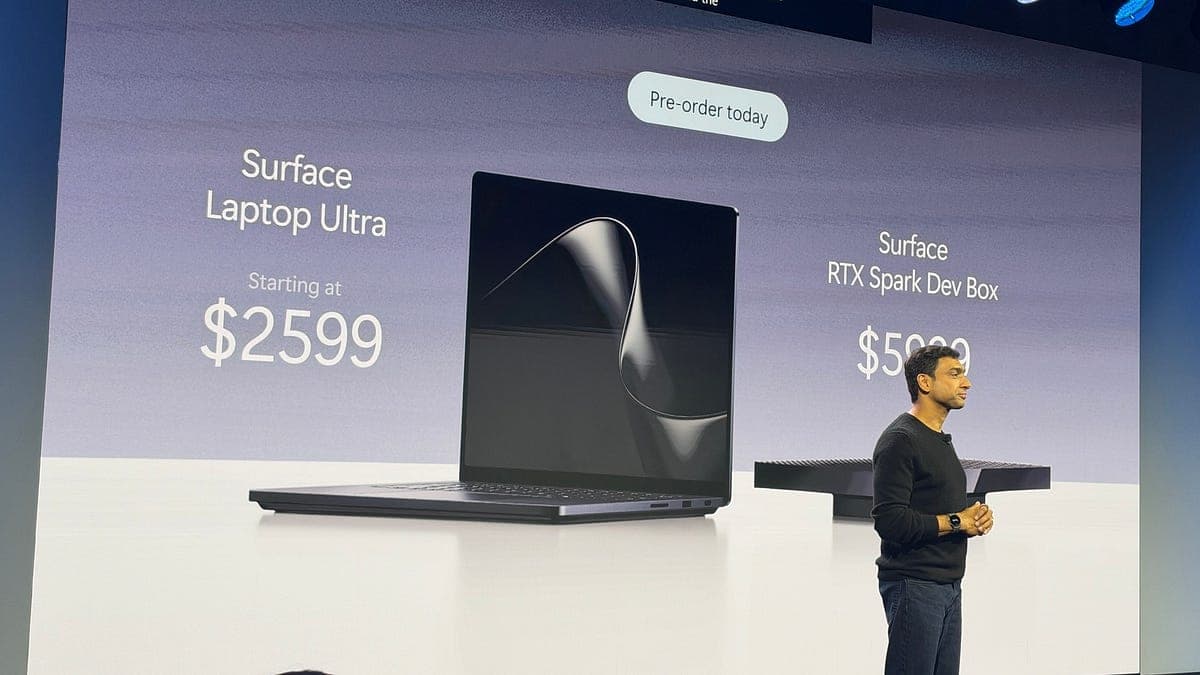
Microsoft's Surface Laptop Ultra opens for preorder at $2,599, built to run AI on the laptop itself
Microsoft and NVIDIA opened preorders for the Surface Laptop Ultra and a $5,999 Surface RTX Spark Dev Box, two Windows machines built around local AI.

Dutch tax office drops Microsoft 365 and takes its email in-house
The Dutch tax authority scrapped its Microsoft 365 cloud rollout. Email and calendars move to its own servers in 2027.
More in brief
- Anthropic tells investors its Q3 revenue hit $16.8 billion ahead of its IPOOct 15
- Mexico gives Meta, TikTok and X one month to shield kids from harmful contentOct 15
- OpenAI engineer charged over hidden recording device in executive roomOct 15
- Eight US states sue OpenAI over ChatGPT's safety for kidsOct 14
- Linux kernel developers move to drop the rule that made coders disclose AI helpOct 14
- Deezer will let you hide fully AI-generated music with one switchOct 14